Shared Android Devices in Transportation: Sign-Out and Shift Handover Tests
Before the next driver or dock worker takes the same Android device, check the previous login, leftover screens, unsynced tasks, and the charger handoff on that build. This page is a proposed test, not a completed trial.
Diperbarui
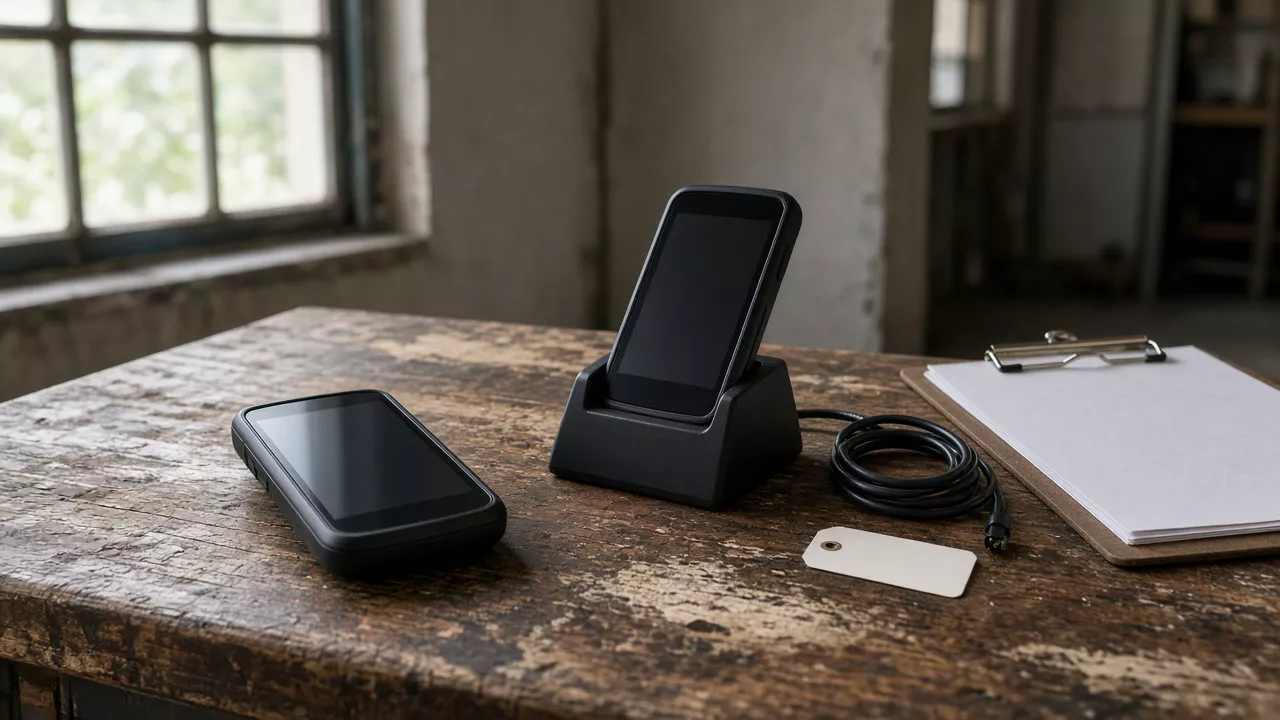
What has to be true before the next person picks up the device?
This page gives a proposed shift-handover test for a shared Android device in transportation. A previous login can leave the next shift on the wrong stop, or with a task that never uploaded. Agree the six checks below on the exact model, build, app, and management platform before you treat sharing as acceptable. Vehicle mounts and barcode field rules stay on their own pages: fleet management devices and logistics scanner acceptance. Policy control on the device still has to be confirmed for that OEM and management stack, as described on managed and controlled Android devices.
| Input or item | What to record | Why it matters |
|---|---|---|
| Device baseline | Model, regional SKU, Android build, and firmware you will actually hand over | A later shift test is comparable only on that baseline |
| App and management platform | Package versions and the EMM or other console that enrolls the device | Sign-out behavior belongs to that combination |
| Participating apps | Which apps are built to join the shared sign-in, and which are not | A global sign-out covers only the apps that participate |
| Unsynced work | The rule for a task that is still on the device | The next person needs a known place for that work |
| Offline case | What the app should do if sign-out is attempted with no network | A failed sign-out is an exception row, not a silent pass |
| Asset handoff | Charger, cradle, cable, and the asset label that travel with the device | The next shift needs power and a way to identify the unit |
Which six checks belong on the shift handover sheet?
Use one row per check. Write the expected behavior before the test, then leave the observation empty until someone runs it on the sample. Passing one row does not pass the sheet. A returned or wiped device is a different event: use Android device deprovisioning and handover when the unit is leaving management, not when the next shift is about to use it.
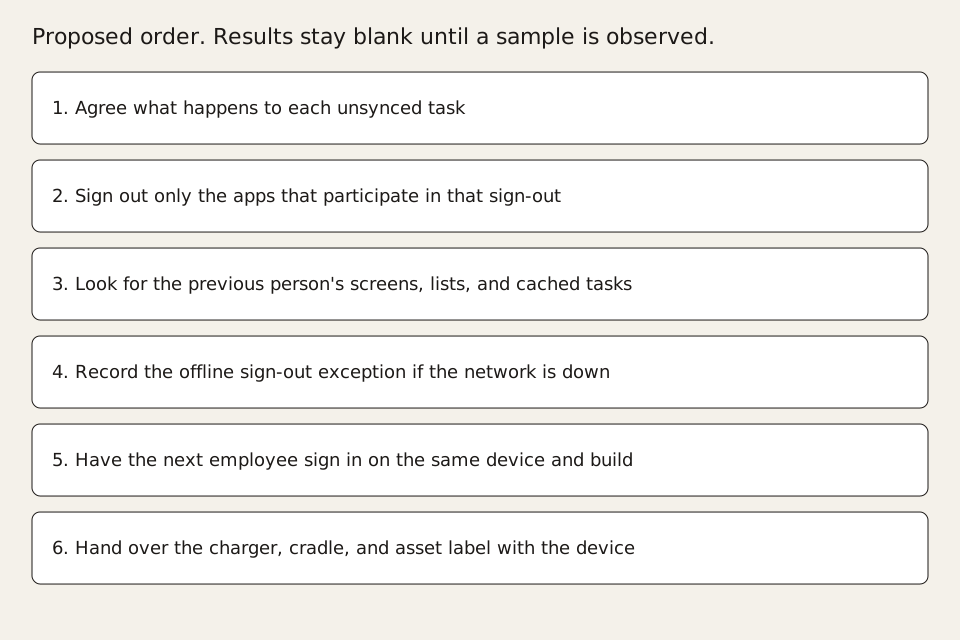
| Check | Agree this before the sample | Observation to record | Boundary |
|---|---|---|---|
| Unsynced tasks | Upload, hold for the same user, or block the handoff | A task still on the device is not finished work | |
| Participating-app sign-out | Which apps must leave the previous account, and who starts that sign-out | Apps outside that list are a separate row | |
| Leftover screens and cache | No previous name, stop list, photo, or map pin remains visible | A signed-out account can still leave app data on screen | |
| Offline sign-out exception | The message and the device state when the network is unavailable | Do not mark the row passed because the depot usually has Wi-Fi | |
| Next employee login | The next person reaches only their own work on the same build | A successful password entry is not the whole check | |
| Charging and asset handoff | Cradle, cable, and asset label move with the device and the unit charges | This row does not choose a vehicle mount |
What does a participating-app sign-out actually clear?
Microsoft's Shared device mode for Android devices page, last updated 2025-05-23 and read for this guide on 2026-10-11, describes one model for apps that support that mode. In that description, a worker signs in once and gets single sign-on to supported apps. On sign-out, the worker is signed out of the device and of those supported applications. The same page says the sign-out call removes the signed-in account and cached tokens from the app and from the device, and that it does not clear the application's own data. The app has to clear its data and anything it is still showing. It also says the developer has to detect a user change, including when the app returns from the background, and clear the previous user's data. Multiple-account apps are outside that mode. Use this as the boundary of that document. It is not a statement that every transportation app on the handset cleared its cache, and it is not a Vantora test result.
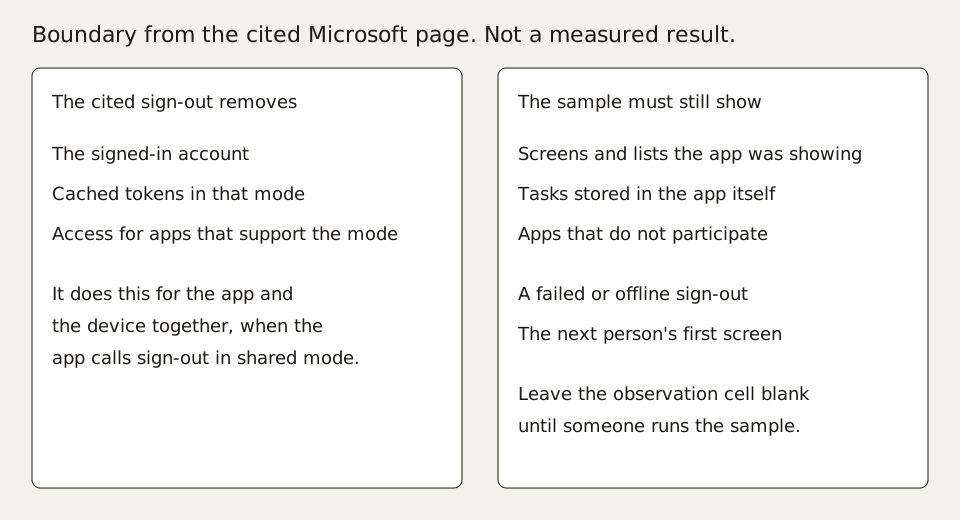
- List the apps that participate in the shared sign-in, and list the apps that do not.
- After sign-out, open each participating app and record whether a previous screen, name, or task is still visible.
- Open each non-participating app the shift actually uses and record its session separately.
- Bring the app back from the background and record whether the previous user's data returns.
- If sign-out fails, keep the device with the previous shift until the agreed exception path is done.
Where should an unsynced transportation task go?
Decide the task rule with the app owner before the sample, using a non-sensitive test job. Three dispositions are enough: the task uploads and the handoff waits for that result, the task stays assigned to the previous person and the next person does not see it, or the handoff stops until a dispatcher clears it. Write which of those three the app supports. If the app has no hold state, do not invent one in the test sheet. The transportation and logistics device scope is the place for the route and proof workflow around that task. This page only asks whether the task is safe to leave on a shared handset.
| Disposition | Handoff can continue when | Evidence |
|---|---|---|
| Upload first | The test job is accepted or explicitly rejected by the server | Local status and the server result for that test job |
| Keep with the previous person | The next login cannot open that job | Both sessions, on the same build |
| Stop the handoff | A named person clears or reassigns the job | The block message and the name of the owner |
What do you record when sign-out has no network?
Run one attempt with the radios off or the test network unavailable, in a safe non-production job. Record the message the previous person sees, whether the account is still present, and whether the device can be given to the next person. Microsoft's cited page describes sign-out for supported apps on a device already in that mode. It does not describe a successful offline sign-out for every management stack. If your app cannot complete sign-out offline, the sheet should say the handoff waits, not that the row passed. Depot Wi-Fi on the day of the test is not a substitute for this row.
How do you know the next employee has their own work?
The next person signs in on the same device and the same build, then opens the shift's real task type with a second non-sensitive test job. Record the account name on screen, the first task list, and any photo, signature, or map state left from the previous job. A login that lands in the previous person's unfinished list fails the row. Identity, EMM enrollment, and app distribution stay subject to validation on that device and stack. This check does not choose the scanner input path and does not certify the handset.
What travels with the device besides the login?
The next shift needs the unit, a way to charge it, and the asset identity. Record the cradle or cable that was in the brief, whether the device shows charging, and whether the asset label matches the unit in the handoff note. Stop there. Dock geometry, ignition power, and vehicle fit are selected on rugged tablets or the fleet page, not on this sheet. A device that charges on the depot bench can still be the wrong mount for a cab. That is a different acceptance row.
When this does not apply
Skip this sheet when each person has their own assigned device for the whole shift, and use it when the same Android unit is handed to the next person. It does not select a vehicle dock, accept a barcode field, interpret driving rules, or claim a certification. It also does not turn a sign-out of participating apps into proof that every app on the device deleted its data. A factory wipe or a device leaving the fleet belongs on the deprovisioning guide.
What to send us
Send us the project brief with the model, build, apps, management platform, and the non-sensitive conditions from the rows above. We reply within 1 business day. Use the project brief. The review says which of these rows can be run on a sample, and which inputs are still missing.
| Item | Why we need it | Example format |
|---|---|---|
| Model and build | The test has to name the unit the next shift will hold | SKU and build id |
| Apps and management platform | Sign-out and login depend on that pair | Package names, versions, and the EMM product name |
| Participating apps | The sign-out row only covers apps that join it | Two lists: participating, and still used but not participating |
| Unsynced-task rule | The handoff needs one agreed disposition | Upload, keep, or stop |
| Offline exception | A dead network changes whether the device can move | Wait, or the message the app shows |
| Charger and asset label | The next person needs power and the right unit | Cradle or cable type, and the label field |
Method and sources
The sheet is a proposed method. Observation cells are empty on purpose. Microsoft's Shared device mode for Android devices page, last updated 2025-05-23, supports the participating-app boundary and the statement that sign-out removes the account and cached tokens without clearing the application's own data. The fetch used here was saved on 2026-10-11. It does not support a claim that every app on a transportation handset was cleared, and it does not set a Vantora battery, price, or certification figure. Device and management behavior on a Vantora project remains subject to validation on the chosen model, OEM, and management stack. Updated October 2026.
Pertanyaan Umum
Does signing out of a supported app clear every app on the device?
No. The cited Microsoft page limits that sign-out to apps that support the mode, and it says the app must still clear its own data and whatever it is displaying. Apps that do not participate need their own row on the sheet.
Is a shift handover the same as wiping a returned device?
No. This sheet checks whether the next employee can take the same working device. A wipe or a removal from management is the deprovisioning guide, and the two records should not be treated as one event.
Can the observation column be filled in from this page?
No. The cells stay blank until a sample is run on the named build. This page defines the checks. It does not report a customer fleet result.
Ceritakan alur kerja dan aturan Anda.
Kami mengubah persyaratan menjadi perangkat yang siap diterapkan.