Mobile Device Kitting Checklist Before Shipment
Prepare an actionable mobile device kitting checklist before cartons are sealed at the staging bench: verify physical device rollout box contents against the build spec, record the per-unit IMEI SIM pairing manifest, validate bulk portal CSV imports, and sign off the pilot carton.
Atualizado
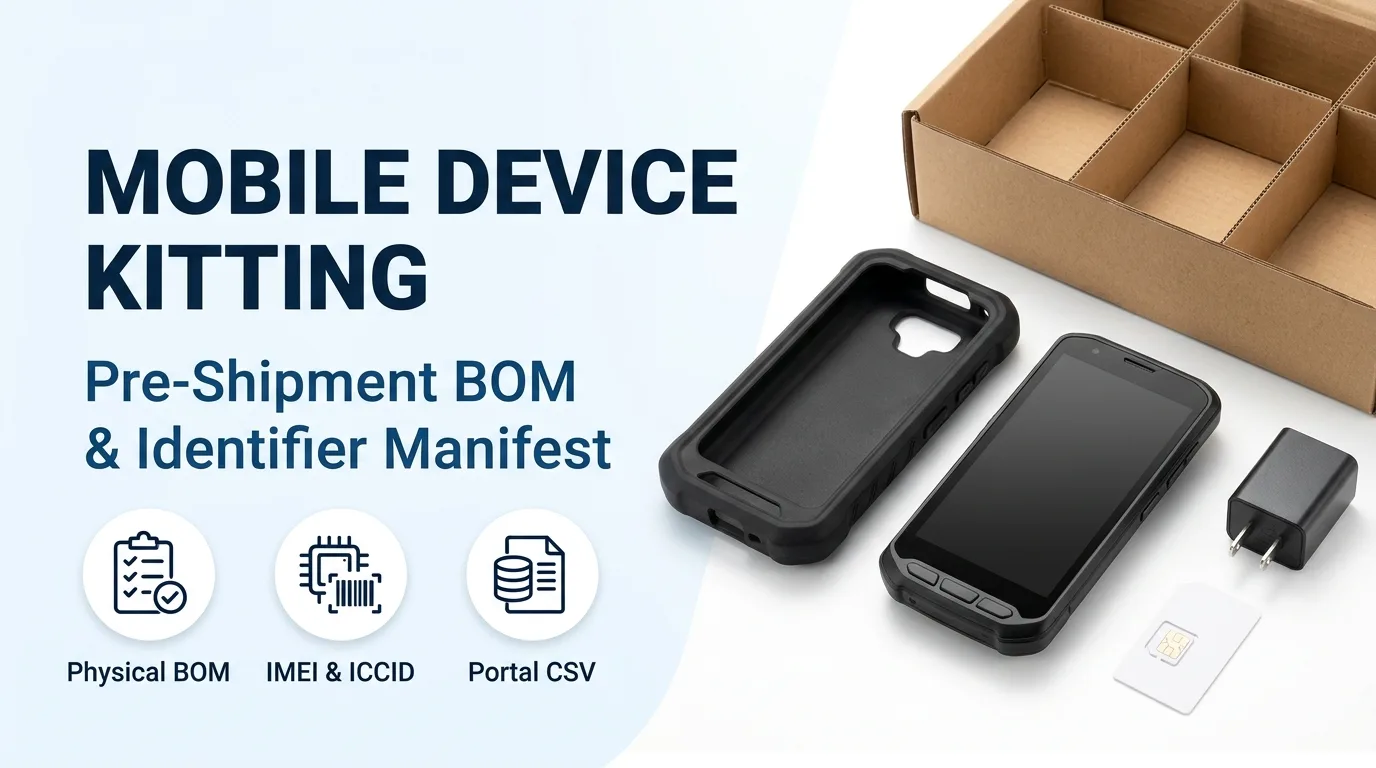
Pre-Shipment Physical Kit BOM and 100% Per-Unit Bench Checks
When teams prepare batch-staged Android devices before delivery, physical kitting verification and identifier capture happen at the packing bench before any box is closed. In our batch staging workflow, nothing is packed before its result is recorded because a unit inside a sealed carton is no longer inspectable without breaking the pack, which is why identifiers are captured as units are kitted rather than reconstructed afterwards from a purchase line. Across a production batch, fast unit-specific checks run on 100% of the batch (every unit): unit identity capture (serial, IMEI, asset tag), ownership and enrollment state reached, approved app package and version present, power-on/display/touch/charging, and label, accessory count, and carton contents (because telemetry cannot prove what is physically inside a box). Every physical item placed into the box must match the frozen Android device build spec and the approved accessories, docks, and chargers list. In the Android device build spec, the Market and physical kit section controls countries, network assumptions, locale, charger, accessories, labels, branding, inserts, and packaging revision, and replaces the vague phrase 'Standard charger' with electrical and connector requirement, regional plug, approved part, substitution rule, and pack quantity. Our custom device accessory scope covers single and multi-bay chargers, desk and wall cradles, vehicle docks with continuous power, vehicle and forklift mounts, hand straps, pistol grips, shoulder straps, protective cases, screen protectors, and tethers, specified alongside the device so docks, ports, and mounts fit the exact model and housing. Across a production batch, peripheral pairing (scanner, printer, dock, sled) runs on every unit where the peripheral ships with it (otherwise sampled), and SIM, APN, or cellular activation runs on every unit where a SIM or profile is fitted (otherwise sampled), recorded in the batch record per fitted unit and reconciled with the carrier or profile list. When a kit includes installed or spare batteries, air and ground transport packing must also satisfy hazardous-materials battery limits and terminal insulation rules. Under FAA PackSafe rules, lithium metal (non-rechargeable) batteries are limited to 2 grams of lithium content per battery, and lithium ion (rechargeable) batteries are limited to a rating of 100 watt hours (Wh) per battery; with airline approval, passengers may also carry up to two spare larger lithium ion batteries (101–160 Wh). Under FAA PackSafe rules (49 CFR 175.10(a)(18)), batteries must be protected from damage and battery terminals must be protected from short circuit, such as by leaving batteries in retail packaging, covering battery terminals with tape, using a battery case, or putting them snugly in a plastic bag or protective pouch.
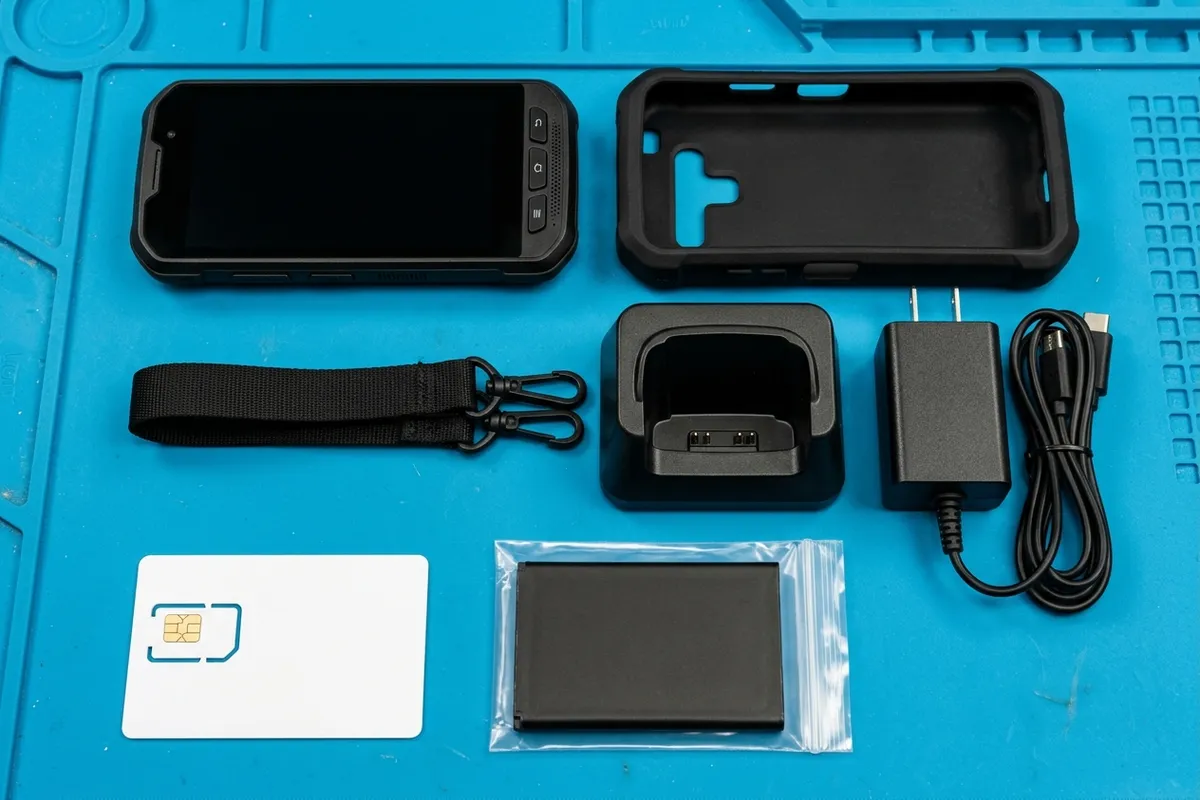
- Record unit identity (serial, IMEI, asset tag), enrollment state, app package and version, power/display/touch/charging, and label, accessory count, and carton contents on 100% of the batch before sealing.
- Specify the charger by electrical and connector requirement, regional plug, approved part, substitution rule, and pack quantity rather than writing 'Standard charger'.
- Protect spare battery terminals from short circuit under 49 CFR 175.10(a)(18) by leaving batteries in retail packaging, taping terminals, using a battery case, or placing them snugly in a plastic bag or protective pouch.
| Physical Kit Element | Build-Spec or Regulatory Requirement | Bench Verification Coverage |
|---|---|---|
| Host Android device & identity labels | Capture serial, IMEI, asset tag, ownership and enrollment state, approved app package and version, and power-on/display/touch/charging before sealing. | 100% of the batch (every unit) prior to packing because a unit inside a sealed carton is no longer inspectable without breaking the pack. |
| Power adapter & charging cable clause | Market and physical kit section replaces 'Standard charger' with electrical and connector requirement, regional plug, approved part, substitution rule, and pack quantity. | Label, accessory count, and carton contents verified on 100% of the batch (every unit). |
| Cases, docks, mounts & straps | Single and multi-bay chargers, desk and wall cradles, vehicle docks with continuous power, vehicle and forklift mounts, hand straps, pistol grips, shoulder straps, protective cases, screen protectors, and tethers matched to the exact model and housing. | Accessory count verified on every unit; peripheral pairing (scanner, printer, dock, sled) runs on every unit where the peripheral ships with it (otherwise sampled). |
| Fitted SIM card or eSIM profile | SIM, APN, or cellular activation recorded in the batch record per fitted unit and reconciled with the carrier or profile list. | Runs on every unit where a SIM or profile is fitted (otherwise sampled). |
| Installed & spare lithium batteries | Lithium metal batteries limited to 2 grams of lithium content per battery and lithium ion batteries limited to 100 watt hours (Wh) per battery (passengers may carry up to two spare 101–160 Wh lithium ion batteries with airline approval); protect terminals from short circuit under 49 CFR 175.10(a)(18). | Confirm terminal insulation (retail packaging, tape, battery case, or snug plastic bag/protective pouch) during pre-pack carton check. |
IMEI, Case-Sensitive Serial, and SIM ICCID Pairing Manifest Rules
An accurate IMEI SIM pairing manifest connects the physical carton and asset tag on the outside of the box to the hardware and telephony identifiers required by zero-touch enrollment and enterprise mobility management (EMM) APIs. For Android devices in zero-touch enrollment, identification commonly relies on IMEI or MEID numbers for cellular devices, while Wi-Fi-only devices can use serial number, model, and manufacturer. In Google zero-touch enrollment, serialNumber is the manufacturer's serial number for the device, is case sensitive, and is the same value returned from Build.getSerial(). In Google zero-touch enrollment, the device model field value must match the device's built-in value returned from Build.MODEL. In Google zero-touch enrollment, the manufacturer field value must match the device's built-in value returned from Build.MANUFACTURER, and if registering serial number you must also register manufacturer and model to ensure zero-touch is able to detect the device. In the Google zero-touch Reseller API DeviceIdentifier resource, serialNumber is the manufacturer's serial number for the device, which might not be unique across different device models, and manufacturer matches android.os.Build.MANUFACTURER. Dual-SIM cellular hardware and bootloader SKU properties require explicit handling when capturing identifiers at the kitting bench. A dual-SIM Android device includes two discrete modems and has two IMEI numbers; if registering just one IMEI for zero-touch enrollment, prefer the numerically lowest IMEI number because zero-touch enrollment works more reliably with the lowest IMEI. In the Google zero-touch Reseller API DeviceIdentifier resource, union field hardware_id2 is the second hardware ID (imei2 or meid2) for dual-SIM devices, and if set, it must be the same identifier type as the first hardware ID. In android.os.Build, getSerial() (added in API level 26) gets the hardware serial number, if available. In android.os.Build, SKU (added in API level 31) is the SKU of the hardware from the kernel command line, reported by the bootloader to configure system software features, or reported as UNKNOWN if no value is supplied by the bootloader. In android.os.Build, ODM_SKU (added in API level 31) is the SKU of the device as set by the original design manufacturer (ODM), a runtime-initialized property set during startup to configure device services, or reported as UNKNOWN if no value is set. When pre-installing physical SIM cards or assigning eSIM profiles for managed and controlled Android devices, the kitting manifest binds each hardware identifier to its telecom profile and policy state. Under the ITU-T E.118 standard ICCID format (89 [CC] [IIN] [Individual Account ID] [C]), the 2-digit Major Industry Identifier (MII) is always 89 for telecommunications, followed by Country Code (1–3 digits), Issuer Identification Number (1–4 digits), Individual Account Identification Number (10–13 digits), and 1 Luhn check digit. In the Android Management API Device resource, the serial number is used as the unique identifier to determine if the same physical device has enrolled previously, and networkInfo (NetworkInfo) is only available if networkInfoEnabled is true in the device's policy. In Android Management API HardwareInfo, serialNumber is the device serial number, except for personally-owned devices running Android 12 and above, where it is the same as the enterpriseSpecificId. In Android Management API EuiccChipInfo, eid is an output-only string containing the Embedded Identity Document (EID) that identifies the eUICC chip for each eUICC chip on the device, available on company owned devices running Android 13 and above. Enabling network reporting in the management policy allows the console inventory to verify the fitted SIM card against the bench manifest after first boot. In Android Management API NetworkInfo, reported fields include imei (IMEI number of the GSM device), meid (MEID number of the CDMA device), wifiMacAddress (Wi-Fi MAC address of the device), and telephonyInfos[]. In Android Management API, TelephonyInfo provides telephony information associated with a given SIM card on the device, supported for all SIM cards on fully managed devices on Android 6 and above, and supported for admin-added eSIMs on all devices for Android 15 and above. In Android Management API TelephonyInfo, phoneNumber is the phone number associated with the SIM card, carrierName is the carrier name associated with the SIM card, iccId is the output-only ICCID associated with the SIM card, and activationState is applicable for eSIMs only on Android 15 and above (always ACTIVATION_STATE_UNSPECIFIED for physical SIMs and for devices below Android 15). For managed and controlled Android deployments, a Wi-Fi allowlist and a preset APN are settings to validate on the sample, mobile data can be toggled by policy, and SIM binding can restrict a device to an assigned SIM where the platform supports it, subject to device, OEM, and management-stack validation. If your staging bench uses an on-device verification app to read hardware and SIM identifiers into the manifest automatically, account for Android permission gates. Android 10 (API level 29) adds restrictions for non-resettable identifiers, which include both IMEI and serial number; an app must be a device or profile owner app, have special carrier permissions, or have the READ_PRIVILEGED_PHONE_STATE privileged permission to access these identifiers. In android.telephony.TelephonyManager, getImei(int slotIndex) (added in API level 26) returns the IMEI (International Mobile Equipment Identity) or null if unavailable, and starting with API level 29 is guarded behind persistent device identifier restrictions including READ_PRIVILEGED_PHONE_STATE. In android.telephony.SubscriptionInfo, getIccId() (added in API level 22) returns the ICC ID; starting with API level 29 Security Patch 2021-04-05, it returns the ICC ID if the calling app has been granted READ_PRIVILEGED_PHONE_STATE, has carrier privileges, or is a device owner or profile owner granted READ_PHONE_STATE.
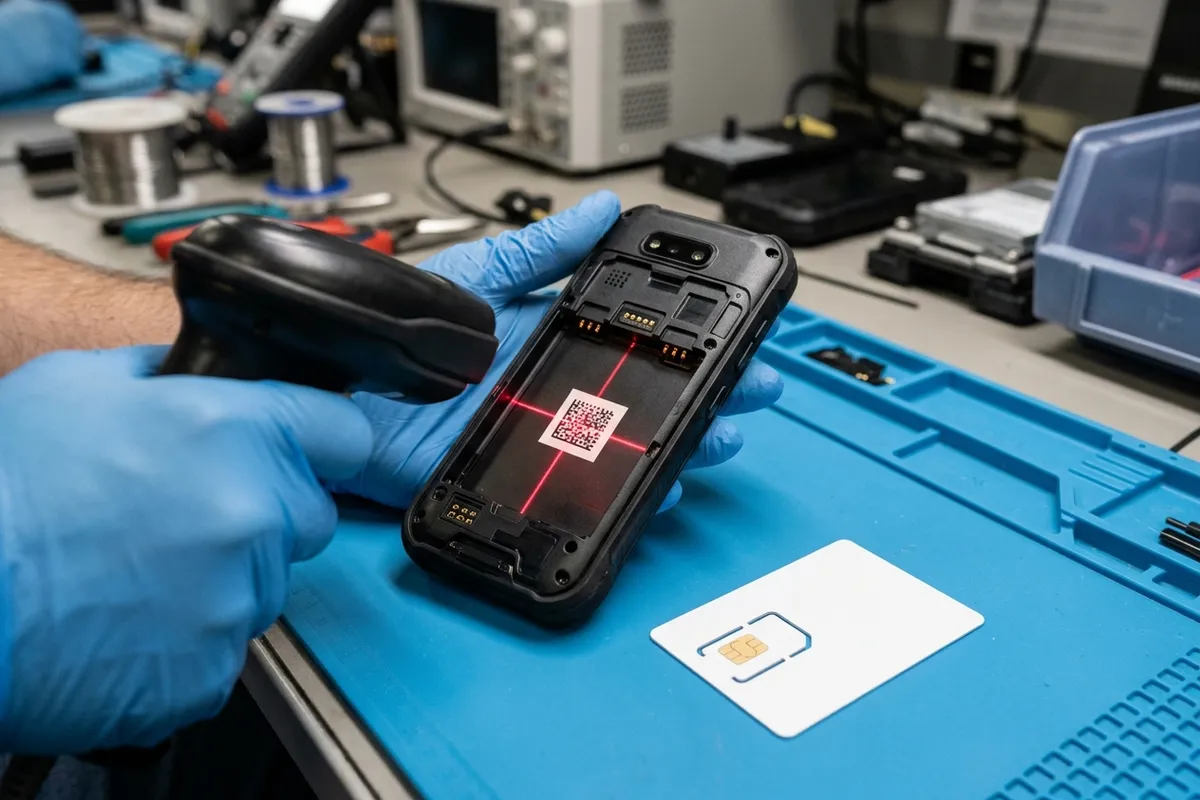
| Manifest Field | Android SDK / API Source | Kitting & Enrollment Validation Rule |
|---|---|---|
| Hardware serial number (serialNumber) | Build.getSerial() (added in API level 26); AMAPI HardwareInfo.serialNumber | Case sensitive in zero-touch; might not be unique across different models; serial registration also requires Build.MANUFACTURER and Build.MODEL. On personally-owned Android 12+ devices, HardwareInfo.serialNumber equals enterpriseSpecificId. |
| Primary & secondary cellular ID (imei / imei2) | TelephonyManager.getImei(int slotIndex) (added in API level 26); AMAPI NetworkInfo.imei and meid | Dual-SIM devices have two discrete modems and two IMEIs; prefer the numerically lowest IMEI if registering one IMEI in zero-touch, or populate hardware_id2 (imei2 or meid2) with the same identifier type. |
| Device model, manufacturer & hardware SKU | Build.MODEL, Build.MANUFACTURER, Build.SKU (API level 31), and Build.ODM_SKU (API level 31) | Zero-touch model and manufacturer must match Build.MODEL and Build.MANUFACTURER; Build.SKU (bootloader kernel command line) and Build.ODM_SKU report UNKNOWN if unset. |
| SIM card ICCID & carrier telemetry | SubscriptionInfo.getIccId() (API level 22); AMAPI NetworkInfo.telephonyInfos[] (iccId, phoneNumber, carrierName, activationState) | ITU-T E.118 ICCID format starts with 2-digit MII 89, Country Code (1–3 digits), IIN (1–4 digits), IAIN (10–13 digits), and 1 Luhn check digit. TelephonyInfo supports all SIMs on fully managed Android 6+ devices and admin-added eSIMs on Android 15+ (activationState is always ACTIVATION_STATE_UNSPECIFIED for physical SIMs and below Android 15). |
| Embedded eUICC chip identifier (eid) | AMAPI HardwareInfo.euiccChipInfo[].eid | Output-only Embedded Identity Document (EID) identifying each eUICC chip, available on company owned devices running Android 13 and above. |
| On-device identifier read permissions | Android 10 (API level 29) & API level 29 Security Patch 2021-04-05 | Reading IMEI, Build.getSerial(), or getIccId() requires a device or profile owner app (with READ_PHONE_STATE for getIccId()), carrier privileges, or READ_PRIVILEGED_PHONE_STATE. |
Bulk Pre-Enrollment CSV Checks Across Zero-Touch, Intune, and Knox
Before cartons leave the staging facility, the kitting manifest is exported into portal-specific CSV files so devices enroll automatically on first field power-on. After the CSV uploads, the Google zero-touch enrollment portal processes the data rows and reports each device that was not assigned a configuration with a reason for the error. The largest CSV file that can be uploaded to the Google zero-touch enrollment portal is 50 MB; if you have more than 50 MB of data, split the file into smaller files. The Google zero-touch portal device configuration CSV file can register both cellular and Wi-Fi-only devices in the same CSV file using the columns modemtype, modemid, serial, model, manufacturer, profiletype and profileid, written in that order as one comma-separated header row. In the Google zero-touch configuration CSV file, modemtype is set to IMEI using uppercase characters paired with modemid to match a cellular device, and modemid2 is set to the device's second IMEI number (if provided, modemid must also be provided). In the Google zero-touch configuration CSV file, profiletype is always set to ZERO_TOUCH using uppercase characters, and profileid is set to the numeric ID of the configuration to apply to the device (or set to '0' to remove the configuration from the device). Enterprise mobility consoles that integrate with zero-touch or maintain their own corporate identifier allowlists enforce distinct file limits, punctuation stripping rules, and dual-IMEI behaviors. In Samsung Knox Manage bulk assignment for zero-touch devices, Profiletype should always be set as ZERO_TOUCH in uppercase letters, and Profileid is set to the ID of the Knox Manage configuration you want to apply to the device (or 0 to remove the device from zero-touch enrollment). When creating a CSV file of corporate identifiers in Microsoft Intune, you can add up to 5,000 rows or 5 MB of data per file, whichever comes first, without headers, and only add one type of corporate identifier per CSV file. To add corporate identifiers for Android and iOS/iPadOS platforms in Microsoft Intune, list one IMEI or serial number per line, remove all periods from the serial number before adding it to the file, and optionally add administrative device details after each identifier limited to 128 characters. Android and iOS/iPadOS devices can have multiple IMEI numbers, and Microsoft Intune reads and records one IMEI per enrolled device; if you import an IMEI different from the one already in Intune, Intune marks the device as personal, and Android serial numbers aren't guaranteed to be unique or present.
- Keep Google zero-touch portal CSV uploads within 50 MB and use uppercase IMEI for modemtype and uppercase ZERO_TOUCH for profiletype.
- Format Microsoft Intune corporate identifier CSV files without headers, limit each file to 5,000 rows or 5 MB with one identifier type per file, strip all periods from serial numbers, and keep details within 128 characters.
- Import the same IMEI that Intune already records for the enrolled device; importing a different IMEI marks the device as personal.
| Enrollment Portal | File Limit & Header Rule | Required Column & Identifier Formatting Rules |
|---|---|---|
| Google Zero-Touch Enrollment Portal | Maximum 50 MB per CSV file (split larger data into smaller files); supports mixed cellular and Wi-Fi-only rows. | Columns: modemtype,modemid,serial,model,manufacturer,profiletype,profileid (plus modemid2 when modemid is also provided). Set modemtype to uppercase IMEI, profiletype to uppercase ZERO_TOUCH, and profileid to the numeric configuration ID (or '0' to remove). |
| Microsoft Intune Corporate Identifiers | Up to 5,000 rows or 5 MB per CSV file (whichever comes first); do not add headers; only one corporate identifier type (IMEI or serial) per CSV file. | Format as identifier,details with optional details limited to 128 characters; remove all periods from serial numbers; importing an IMEI different from the one Intune reads marks the device as personal. |
| Samsung Knox Manage Zero-Touch Bulk | Bulk zero-touch assignment CSV template. | Set Profiletype to ZERO_TOUCH in uppercase letters and Profileid to the numeric Knox Manage configuration ID (or 0 to remove the device from zero-touch enrollment). |
Pilot Carton Sign-Off, Handover Pack Split, and Carton Storage
In our deployment provisioning and batch staging programs—including multi-depot rollouts for transportation and logistics fleets—carton layout and receiving labels are validated before volume packing begins. We quote device programs from around 500 units upward, moving through 1–3 evaluation samples, a pilot tranche (typically 20–100 units inside an agreed program), and the production batch. Rollouts often fail at the packaging layer; a staging plan names asset labels, site labels, manuals, accessories, chargers, cables, spare batteries, SIMs, carton layout, and whether devices are grouped by site, user role, or partner, and validates these details on a pilot carton before the full batch is packed. When the production batch is kitted and sealed, warehouse receiving teams and IT administrators require different slices of the shipment documentation. Common fields in an Android device batch record are Serial or IMEI range (for example Carton 1: serial range or IMEI list), Firmware and Android version, App package and version, Enrollment and policy, SIM/APN or network profile, and Accessory and packaging kit (Case, dock, cable, label, manual and carton contents). In the handover pack, the per-unit batch record captures one row per unit (identifiers, provisioning result, observed app and policy versions, check outcomes, carton and site allocation), while the pack and allocation list captures carton contents, labels, accessory sets, spares, and per-site allocation for receiving operations, logistics, and site leads. For outer shipping containers tracked across pallets or distribution hubs, GS1 Serial Shipping Container Code (SSCC) is used by companies to identify a logistic unit, which can be any combination of trade items packaged together for storage and/or transport purposes, such as a case, pallet, or parcel. Finally, track the calendar window between bench provisioning and field unboxing when staged cartons sit in regional buffer stock. In the Android Management API provisioning lifecycle, if a managed device remains offline for 270 consecutive days, it will need to be reprovisioned. To scope a managed Android hardware, kitting, and batch staging run for your next rollout, submit a project brief with your target unit count, accessory BOM, SIM/MDM route, and site allocation structure.
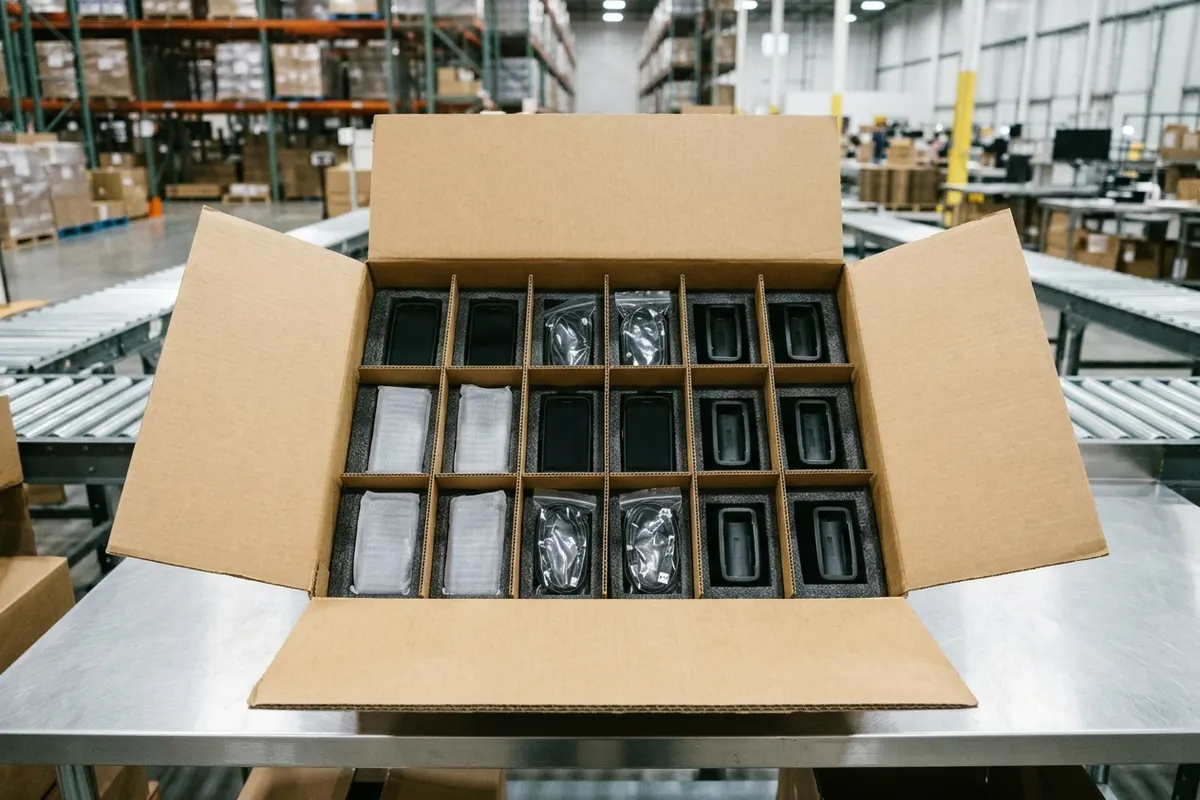
| Handover or Carton Gate | Required Scope & Recorded Fields | Operational Purpose |
|---|---|---|
| Pilot carton validation (20–100 unit pilot tranche) | Asset labels, site labels, manuals, accessories, chargers, cables, spare batteries, SIMs, carton layout, and grouping by site, user role, or partner. | Validates packaging-layer fit and labeling on a pilot carton before the production batch (quoted from around 500 units upward after 1–3 evaluation samples) is packed. |
| Per-unit batch record | One row per unit: identifiers, provisioning result, observed app and policy versions, check outcomes, and carton and site allocation. | Provides customer IT, asset management, and support desk with unit-level traceability for every sealed device. |
| Pack and allocation list | Carton contents, Accessory and packaging kit (Case, dock, cable, label, manual and carton contents), accessory sets, spares, and per-site allocation. | Consumed by receiving operations, logistics, and site leads. |
| Outer logistic unit label (GS1 SSCC) | GS1 Serial Shipping Container Code (SSCC) applied to the logistic unit (case, pallet, or parcel). | Identifies trade items packaged together for storage and transport across warehouse receiving. |
| Offline storage ceiling | Maximum 270 consecutive days offline under the Android Management API provisioning lifecycle. | Prevents pre-staged devices in warehouse storage from exceeding the 270-day offline window that requires reprovisioning. |
Sources
The identifier rules, portal CSV limits, battery packing regulations, and batch staging workflows in this checklist are grounded in the following documentation:
- Google Android Zero-Touch Enrollment — Device Identifiers Guide
- Google Android Enterprise Help — Zero-touch enrollment for IT admins
- Google Android Zero-Touch Enrollment Reseller API — REST Resource: partners.devices (DeviceIdentifier)
- Google Android Management API — REST Resource: enterprises.devices (HardwareInfo, EuiccChipInfo, NetworkInfo, TelephonyInfo)
- Google Android Management API — Provision a Device
- Android Developers Guide — Best practices for unique identifiers
- Android Developers Reference — android.os.Build, android.telephony.SubscriptionInfo, and android.telephony.TelephonyManager
- Microsoft Intune Documentation — Add corporate identifiers to Intune
- Samsung Knox Manage Documentation — Use Android Zero-touch Enrollment
- GS1 Standards — Serial Shipping Container Code (SSCC)
- FAA PackSafe — Lithium Batteries (49 CFR 175.10(a)(18))
- Spenza — What Is an ICCID Number (ITU-T E.118 Structure)
Perguntas frequentes
Why must device identifiers and box contents be verified on 100% of units before sealing cartons?
A unit inside a sealed carton can no longer be inspected without breaking the pack, and remote MDM telemetry cannot prove which physical accessories or labels are inside the box. Capturing serial, IMEI, asset tag, enrollment state, approved app version, power/display/touch/charging, and carton contents on 100% of the batch at the bench prevents missing-item or unrecorded-unit shipments.
How should dual-SIM Android devices be recorded in a kitting manifest for Google zero-touch and Microsoft Intune?
Dual-SIM Android terminals contain two discrete modems and two IMEIs. For Google zero-touch enrollment, register the numerically lowest IMEI (or populate both modemid and modemid2 / Reseller API hardware_id2 as imei2 or meid2), whereas for Microsoft Intune, import the same IMEI that Intune already records for that device; a different imported IMEI marks the device as personal.
What are the CSV file limits and formatting rules for Google zero-touch versus Microsoft Intune corporate identifiers?
Google zero-touch accepts CSV uploads up to 50 MB using a header row of modemtype, modemid, serial, model, manufacturer, profiletype and profileid (comma-separated, in that order) with uppercase IMEI and uppercase ZERO_TOUCH. Microsoft Intune corporate identifier CSVs omit headers, allow up to 5,000 rows or 5 MB per file with a single identifier type per file, require stripping periods from serial numbers, and cap optional details at 128 characters.
What storage and battery transport rules apply to pre-staged Android cartons before shipment?
Under the Android Management API provisioning lifecycle, a pre-staged managed device that stays offline for 270 consecutive days requires reprovisioning. For passenger-accompanied spare batteries under FAA PackSafe rules, rechargeable lithium-ion batteries are capped at 100 Wh per battery (with airline approval, passengers may carry up to two spare 101–160 Wh batteries), non-rechargeable lithium metal batteries at 2 grams of lithium content, and spare battery terminals must be insulated against short circuits under 49 CFR 175.10(a)(18).