Hot Swap Battery Runtime for Mobile Computers
In multi-shift warehousing, cross-docking, and cold-chain picking, a hot swap battery workflow depends on matching the hardware tier, published hold-up window, and multi bay battery charger cradle pool to shift demand. Compare warm swap vs hot swap battery hold-up windows, pack runtime capacities, and charger turnaround below.
更新于
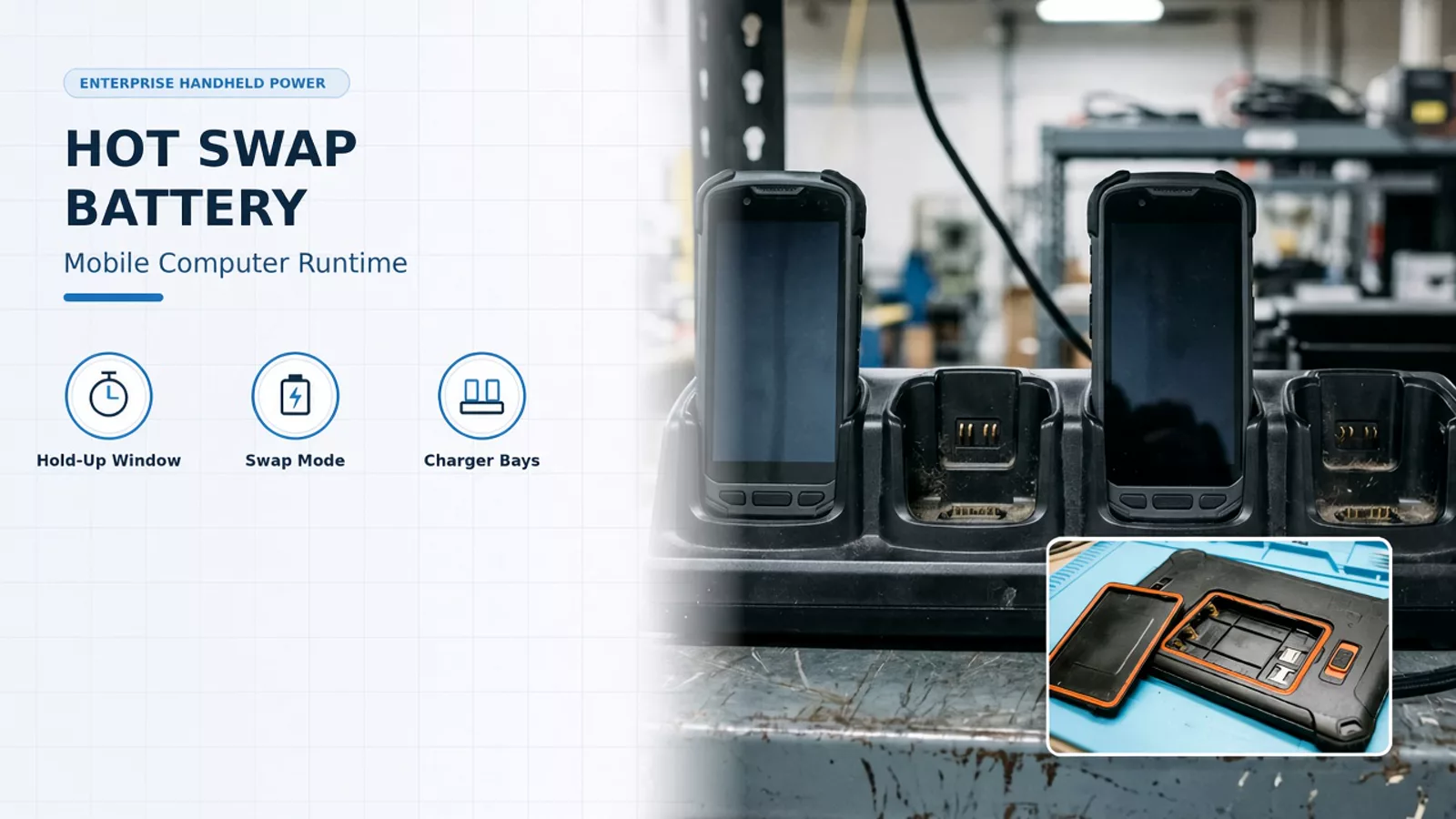
Warm Swap vs. Hot Swap Battery Modes Across Enterprise Handheld Tiers
When procurement teams evaluate handheld mobile computers for continuous warehouse picking, the phrase hot swap battery is frequently applied to two distinct power hold-up behaviors: True Hot Swap and Warm Swap. Both rely on an internal energy reserve—either a supercapacitor or an internal backup cell—to bridge main pack removal, yet they handle active wireless connections and operator workflows very differently. Battery True Hot Swap is available on TC53/TC58 Premium devices only. On TC53/TC58, when the battery is removed during True Hot Swap, the backup super capacitor immediately takes over to maintain the system, including Wi-Fi/WAN connectivity (only voice, data and current state of applications), for a maximum of 30 seconds. On TC53/TC58, after the initial True Hot Swap period, the device enters emergency (critical) suspend and maintains the memory (device resumes instead of rebooting) for a maximum of 60 seconds. On TC53/TC58, if the battery is not replaced within 60 seconds during emergency suspend, the memory persistence may run out and the device will reboot after installing the charged battery. A parallel tier split applies across heavier touch computers and non-premium configurations. In the Zebra TC73/TC78 Product Reference Guide, battery replacement in premium TC73 and TC78 devices supports True Hot Swap, and True Hot Swap applies to premium devices only. In the Zebra Touch Computer Comparison Guide product column that lists Wireless (TC58 premium models/all TC78 models), standard models support warm swap up to two minutes, premium models support hot swap, and fast charging reaches 0 to 90% in under two hours. On a TC53 (Non-Premium device), battery replacement uses a power menu option to swap the battery, and replacing the battery within 60 seconds persists the memory. On TC53/TC58, the persistence duration of 30 seconds for Wi-Fi/WAN and 60 seconds for memory are maximum values that may be reduced depending on application usage, network considerations, and hardware features. Peer industrial keypad-touch handhelds implement their own internal reserve designs and swap windows. On the Honeywell CK65, under Hot Swap, you can replace the battery on demand provided the computer has been powered on for at least 4 minutes and you insert a new battery within 30 seconds. On the Honeywell CK65, Swap Battery mode places the computer in a low power state so that the battery can be removed for a short time, and step 1 instructs the user to save files and close any open applications. On the Datalogic Skorpio X5, Battery Swap mode is a low power suspend mode that preserves main memory contents, WiFi and Bluetooth connection, and keeps applications running, and the battery must be replaced within 30 seconds to preserve the active Wi-Fi and Bluetooth sessions.
| Handheld Platform / Tier | Published Hold-Up Behavior | Transition or Timeout Rule |
|---|---|---|
| Zebra TC53/TC58 Premium | True Hot Swap via internal backup supercapacitor; maintains Wi-Fi/WAN connectivity (voice, data, and app state) for up to 30 seconds. | Transitions into emergency suspend for up to 60 seconds of memory persistence before rebooting if no battery is inserted. |
| Zebra TC73 and TC78 Premium | Supports True Hot Swap battery replacement on premium TC73/TC78 models. | Standard configurations support warm swap up to two minutes. |
| Zebra TC53 (Non-Premium device) | Power-menu Battery Swap mode; wait for red LED to turn off before pulling the pack. | Replacing the battery within 60 seconds preserves memory state. |
| Honeywell CK65 | On-demand Hot Swap within 30 seconds after at least 4 minutes of powered uptime. | Swap Battery mode places the unit in a low-power state after saving files and closing open apps. |
| Datalogic Skorpio X5 | Low-power Battery Swap suspend mode preserves RAM, running apps, and Wi-Fi/Bluetooth sessions for up to 30 seconds. | Backup reserve takes up to 2 minutes to recharge; unavailable while on USB or external power. |
Subsystem Throttling, Pre-Swap Disqualifiers, and Physical Latch Steps
Preserving wireless sockets on a small internal supercapacitor requires peripheral load shedding the moment the main battery pack disconnects. On TC53/TC58, during Battery True Hot Swap, the display dims to 10% brightness, volume reduces to level 1, uplink/downlink throughput is reduced, and NFC, scanner, Soft AP, and Wi-Fi direct are disabled. On TC53/TC58, when lifting the battery from the device in step 4 of True Hot Swap, a 30 second countdown timer displays and the backup super capacitor takes over immediately with the display dimmed. In Zebra MX Wi-Fi Manager, the WifiSleepPolicy parameter cannot be configured in devices running Android 8.x and higher because Oreo locks the Wi-Fi radio into the AlwaysOn setting. Active workloads and external connections can interfere with hold-up persistence or block battery swap mode from engaging. On TC53/TC58, before and during a Battery True Hot Swap, users should avoid any new user-initiated activities on the device during battery removal and third party applications or launchers holding a wakelock. On TC53/TC58, before and during a Battery True Hot Swap, users should avoid initiating or maintaining a WAN voice call or initiating or maintaining a WAN data transfer (files, streaming). On the Datalogic Skorpio X5, it can take up to 2 minutes to fully charge the backup source after a battery swap, and the battery swap procedure is not available if the device is connected via USB cable, powered by an external source, or if the backup battery is not charged enough. Physical latch sequence, LED wait states, and battery cavity cleanliness govern whether operators complete the exchange cleanly. On TC53/TC58, in step 1 of True Hot Swap battery replacement, if a hand strap is attached it must be removed before pressing the two battery latches down in step 2. On a TC53 (Non-Premium device), in step 4 of power-menu Battery Swap, the user must wait for the red LED to completely turn off before removing the battery, or loss of data may result. On TC53/TC58, if the device does not automatically turn on after replacing the battery, pressing and holding the power button for 6 seconds reboots the device. Hardware integrity rules also apply inside the battery compartment during every pack exchange. On TC53/TC58, labels, asset tags, engravings, or stickers must not be placed in the battery well because sealing (Ingress Protection (IP)), impact performance, functionality, or temperature resistance could be affected. On TC53/TC58, a microSD card must not be added or removed during battery replacement. On TC53/TC58, at 4% remaining battery charge, the device turns off and the user must charge the battery.
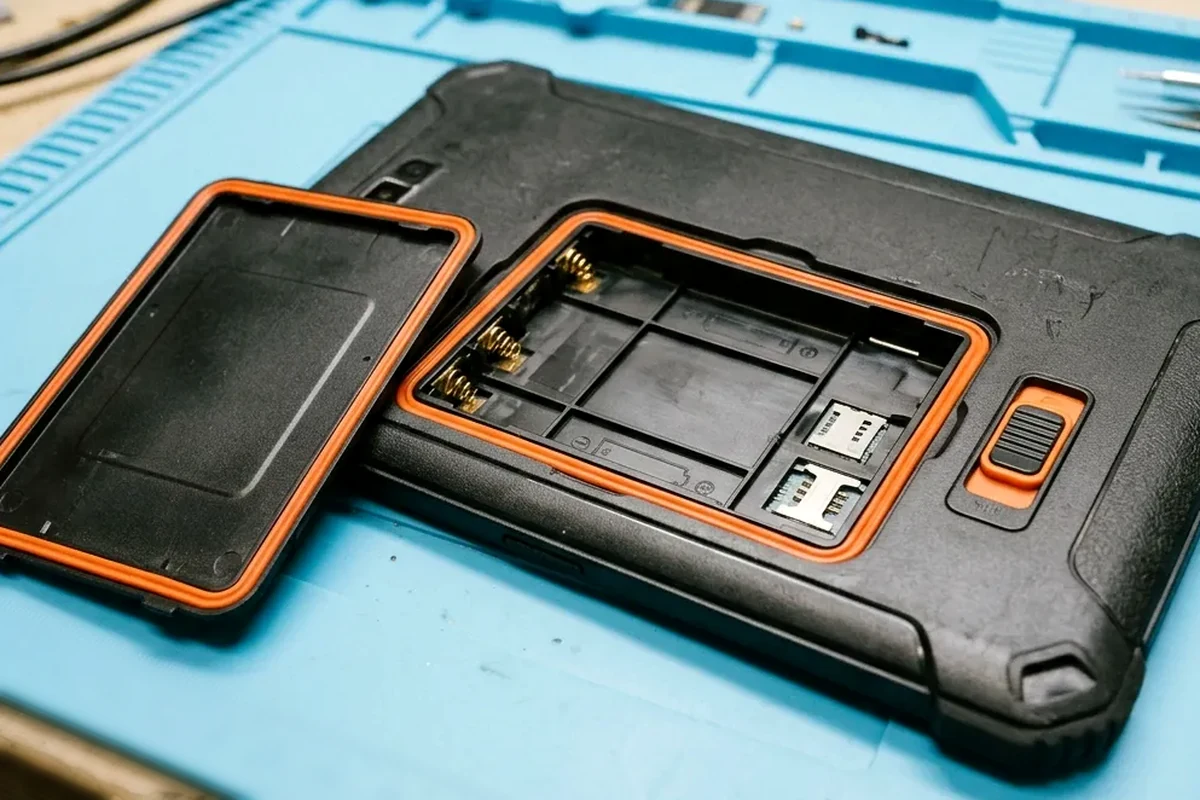
- Remove any attached hand strap before pressing the dual battery latches to lift the depleted pack.
- Avoid initiating large wireless file transfers or holding application wakelocks while pulling a battery pack.
- Apply inventory barcode labels and property tags to exterior housing zones rather than inside the battery well.
Mobile Computer Battery Runtime, Pack Capacities, and Cold-Storage Heaters
On TC53/TC58, part number BTRY-NGTC5TC7-44MA-01 is a standard 4680 mAh battery, and BTRY-NGTC5TC7-66MA-01 is a higher capacity 7000 mAh battery. On TC53/TC58, in main battery charging, the battery charges from fully depleted to 90% in approximately 2 hours, and a full 100% charge lasts for approximately 8 to 14 hours depending on use case. Keypad-touch warehouse terminals offer dedicated ambient and cold-storage pack chemistries as well as high-capacity pistol-grip packs. The CK65-BTSC Battery (PN 318-063-001) is a standard 7000 mAh Li-ion rechargeable battery for the CK65 (not for use with cold storage or hazardous location models), and CK65-BTCS (PN 318-063-002) is a cold storage 5200 mAh Li-ion battery. On the Datalogic Skorpio X5, the standard battery is 3.7 V, rated 3460mAh typical 3500mAh (12.8 Watt hours) on handheld models, and the extended battery is rated 6080 mAh typical 6200mAh (22.1 Watthours) on Pistol Grip models. Freezer and cold-storage operations introduce a sharp distinction between active heater draw on the floor and charging room temperature boundaries. On the Honeywell CK65, in Automatic heater mode on cold storage models, cold storage battery life may significantly exceed 8 hours (scanning a barcode every ten seconds); in Automatic mode with Preemptive Heating enabled, cold storage battery life may exceed 5 hours. On TC53/TC58, batteries must be charged in temperatures from 5°C to 40°C (41°F to 104°F), and at higher temperatures such as approximately +37°C (+98°F) the device or cradle may alternately enable and disable charging.

| Handheld Family | Published Pack Options | Published Runtime or Thermal Detail |
|---|---|---|
| Zebra TC53/TC58 | Standard 4680 mAh (BTRY-NGTC5TC7-44MA-01) and extended 7000 mAh (BTRY-NGTC5TC7-66MA-01). | Charges 0–90% in ~2 hours inside the terminal; 100% charge provides ~8–14 hours depending on workload (charge window 5°C to 40°C). |
| Honeywell CK65 | Standard 7000 mAh ambient pack (CK65-BTSC / 318-063-001) and 5200 mAh cold-storage pack (CK65-BTCS / 318-063-002). | Cold-storage models exceed 8 hours in Automatic heater mode (10s scan interval) or 5 hours with Preemptive Heating enabled. |
| Datalogic Skorpio X5 | Standard 3460/3500 mAh (12.8 Wh, handheld) and extended 6080/6200 mAh (22.1 Wh, pistol-grip). | 0–90% recharge at 25°C in <2h 15m (BY-07 standard) or <2h 40m wired / <3h 30m wireless (BY-08 extended). |
Multi-Bay Battery Charger Cradle Architecture and Spare Pool Sizing
A hot swap battery program fails on the second or third shift if depleted packs take longer to recharge in the staging room than active packs last on the floor. Charging speed differs depending on whether the battery charges inside the terminal, in a cradle cup spare well, or in a standalone multi bay battery charger cradle. On TC53/TC58, in spare battery charging on cradle cups, the spare battery charges from fully depleted to 90% in approximately 2.3 hours. On TC53/TC58, the 4-Slot Battery Charger (SAC-NGTC5TC7-4SCHG) charges up to four spare Standard capacity or Extended capacity batteries, and Standard capacity batteries will charge from 0-90% in about 4 hours. High-density staging rooms combine multi-slot terminal docks with four-bay spare battery toaster chargers. Check accessories, docks, and chargers when matching power bricks, DC line cords, shims, and rack brackets to your cabinet layout. On TC53/TC58, the 5-Slot Charge Only Cradle with Battery Charger Kit (CRD-NGTC5-5SC4B) charges up to four devices and four spare batteries and includes power supply PWRBGA12V108W0WW. On TC53/TC58, the 5-Slot Charge Only Cradle Kit (CRD-NGTC5-5SC5D) charges up to five devices and includes power supply PWR-BGA12V108W0WW. On TC53/TC58, each cradle cup has a shim that must be inserted prior to inserting the device, with one shim for the standalone device and a different shim for the device plus Boot. On TC53/TC58, wall mounting bracket BRKT-SCRD-SMRK-01 allows installing up to four 4Slot Spare Battery Chargers together on a wall or standard 19” IT rack. Other enterprise handheld ecosystems require specific dock configurations and initial charge windows that shape spare battery pool ratios; see our shared Android shift handover guide for cabinet and check-out workflows. The CK65 mobile computer ships with a partially charged battery that must be charged with a CK3 Series charging device for a minimum of 4 hours. On the Honeywell CK65, the AC20 Quad Battery Charger charges up to four batteries at one time, and DX4 models 1002UU04 and 1002UU05 charge up to four devices or can be configured to charge up to eight batteries. On the Datalogic Skorpio X5, the BY-07 standard battery pack typically charges from 0% to 90% capacity in less than 2h 15min in a wireless or wired dock at 25°C, and the BY-08 extended battery pack typically charges from 0% to 90% capacity in less than 2h 40min in a wired dock and typically in less than 3h 30min in a wireless dock at 25°C.
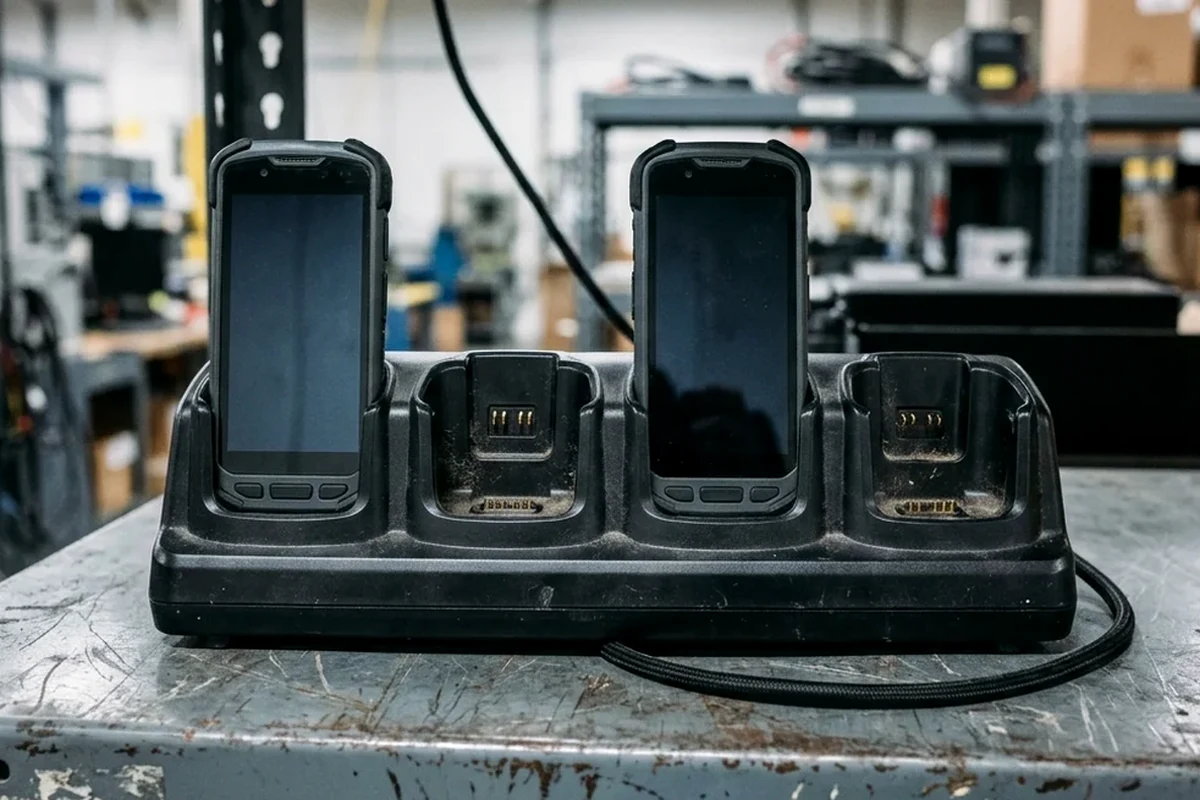
| Charging Accessory Family | Published Hardware & Power Configuration | Published Recharge Window or Rack Density |
|---|---|---|
| Zebra TC53/TC58 Single-Slot & ShareCradle | 5-Slot Charge Only Cradle with 4-Bay Battery Charger Kit (CRD-NGTC5-5SC4B, 4 terminals + 4 spare packs) or 5-device kit (CRD-NGTC5-5SC5D) with 108W power supply. | Cradle-cup spare wells reach 90% charge from depleted in ~2.3 hours. |
| Zebra TC53/TC58 Multi-Slot Spare Battery Charger | 4-Slot Battery Charger (SAC-NGTC5TC7-4SCHG) for up to 4 Standard or Extended packs. | Standard packs charge 0–90% in ~4 hours; bracket BRKT-SCRD-SMRK-01 gang-mounts up to four 4-slot chargers (16 bays) on a wall or 19" rack. |
| Honeywell CK65 Charger Family | AC20 Quad Battery Charger (4 packs) and DX4 docks (1002UU04 / 1002UU05) supporting 4 terminals or up to 8 battery bays. | Initial conditioning requires charging the factory-shipped pack for at least 4 hours in a CK3 Series charger. |
| Datalogic Skorpio X5 Dock | Wired and wireless dock bays supporting BY-07 standard (12.8 Wh) and BY-08 extended (22.1 Wh) packs. | 0–90% at 25°C in <2h 15m (BY-07) or <2h 40m wired / <3h 30m wireless (BY-08). |
Battery Health Decommissioning Thresholds and Swap Prompts
Aging lithium-ion packs lose effective capacity over repeated charge cycles, causing unexpected mid-shift shutdowns even when the charge indicator reads full at shift start. Enterprise management policies let administrators automate retirement alerts and swap prompts across the fleet. In Zebra MX BatteryMgr, a value of 80 for the PowerPrecision+ (PP+) decommission threshold indicates that a PP+ battery should be decommissioned once its Actual Capacity is less than 80 percent of its original Rated Capacity. In Zebra MX BatteryMgr, the default value for the PowerPrecision (PP) Usage Decommission Threshold parameter is 400, indicating that a PP Battery should be decommissioned once it has undergone approximately 400 charge/discharge cycles. In Zebra MX BatteryMgr, Battery Swap UI Enable/Disable controls whether the device displays a pop-up when the battery reaches a certain percentage of charge to prompt the user to swap batteries, and is disabled by default.
- Set a fleet-wide State of Health retirement rule so degraded packs are pulled from the spare pool before peak seasonal volume.
- Track cumulative charge and discharge cycle thresholds across shared battery pools.
- Configure battery swap pop-up prompts to match walking distance from the picking aisle to the nearest spare battery charger rack.
Preparing the Handheld Runtime and Hot-Swap Validation Brief
Before locking hardware SKUs and charger quantities into a purchase order, run a bench and floor validation alongside your logistics Android scanner acceptance workflow. Verifying live session persistence, supercapacitor recovery lockouts, cold-room swap behavior, and cradle recharge turnaround on pilot units prevents mid-shift bottlenecks after rollout. Share your shift structure, active application profile, ambient temperature zones, and rack layout through our project brief form so we can align handheld mobile computers and accessories, docks, and chargers with your operational requirements.
| Verification Check | Pilot Procedure | Rollout Acceptance Target | Recorded Pilot Observation |
|---|---|---|---|
| Unprompted True Hot Swap session check | Open active warehouse session, unclip hand strap, release both battery latches, and insert replacement pack within the published hold-up window | Wireless session remains connected and foreground app stays in memory without re-login | — |
| Supercapacitor recovery lockout check | Verify device boot timer and post-swap recharge interval before attempting a consecutive battery pull | Operators and management policies respect the supercapacitor recharge window between swaps | — |
| Cold-chain pre-swap thermal check | Bring freezer handheld to conditioned vestibule and verify pack temperature before unlatching main battery | Battery temperature stays within published swap and charger thermal boundaries | — |
| Multi-bay charger turnaround check | Seat depleted packs in multi-bay spare battery charger and log time to target charge state under site power supply configuration | Recharge turnaround completes inside active shift runtime with spare buffer | — |
Sources
The technical specifications, hold-up timers, thermal boundaries, and charging accessory figures in this guide are drawn from the following manufacturer reference documents:
- Zebra Technologies — TC53/TC58 Touch Computer Product Reference Guide
- Zebra Technologies — TC73/TC78 Touch Computer Product Reference Guide
- Zebra Technologies — TC53/TC58 Technical Accessory Guide
- Zebra Technologies — Touch Computer Comparison Guide
- Zebra TechDocs — MX Battery Manager (BatteryMgr)
- Zebra TechDocs — MX Wi-Fi Manager (Wi-Fi Sleep Policy and Roaming)
- Honeywell — CK65 Powered by Android Quick Start Guide
- Honeywell — CK65 Powered by Android User Guide
- Datalogic — Skorpio X5 User's Manual
常见问题
What is the difference between True Hot Swap on a premium TC53/TC58 and battery swap on a non-premium TC53?
Premium TC53/TC58 units use an internal backup supercapacitor during True Hot Swap to maintain active Wi-Fi/WAN connections and application state for up to 30 seconds before dropping into a 60-second emergency memory suspend. Non-premium TC53 models require initiating a power-menu Battery Swap and waiting for the red LED to extinguish before pulling the pack, preserving RAM state for up to 60 seconds without live wireless hold-up.
What conditions prevent a hot swap or battery swap from succeeding on rugged mobile computers?
An uncharged internal backup reserve or active cable connection will block or drop the swap session. The Honeywell CK65 requires at least 4 minutes of powered uptime before a 30-second hot swap, while the Datalogic Skorpio X5 needs up to 2 minutes to recharge its backup source and blocks Battery Swap mode whenever USB or external power is attached.
What ambient temperature limits apply when charging mobile computer batteries?
Zebra TC53/TC58 battery packs must be charged in conditioned rooms between 5°C and 40°C (41°F to 104°F); as ambient temperatures approach +37°C (+98°F), the terminal or cradle may cycle charging on and off to protect the cells.
How many spare batteries can be mounted and charged together on a wall or IT rack?
Using Zebra wall/rack bracket BRKT-SCRD-SMRK-01, up to four 4-Slot Spare Battery Chargers (SAC-NGTC5TC7-4SCHG) can be gang-mounted on a wall or standard 19-inch IT rack to charge 16 spare Standard or Extended batteries simultaneously (reaching 0–90% in roughly 4 hours for Standard packs).