| Form factor | Where it fits | What to record on the sample |
|---|---|---|
| Handheld mobile computer (full-touch) | General picking, receiving, counting; app-rich WMS clients | Display, battery behavior on the shift, and read distance on the customer labels. |
| Keyed handheld terminal | Heavy numeric entry, gloved or cold-chain work, legacy WMS screens | Keypad use with gloves, whether the battery swaps, and the temperature the workflow needs. |
| Pistol-grip / rugged scanner | High-volume dock, rack and yard scanning; all-shift trigger work | The near label and the far label to test. This page does not publish a meter band. |
| Scanning sled / back-clip | Smartphone-led rollouts adding a dedicated engine to an existing phone fleet | Phone model, clip fit, and how the sled is charged. This page does not publish a mAh figure. |
| Wearable / ring scanner | Hands-free picking, sortation and packing lines | Pairing target and how long a shift segment runs before a spare. |
Warehouse Barcode Scanning Handhelds for Validated Rollouts
Android mobile computers and rugged scanners prepared for receiving, picking, packing and counting workflows with app-ready WMS setup, scan validation and batch staging.
Diperbarui
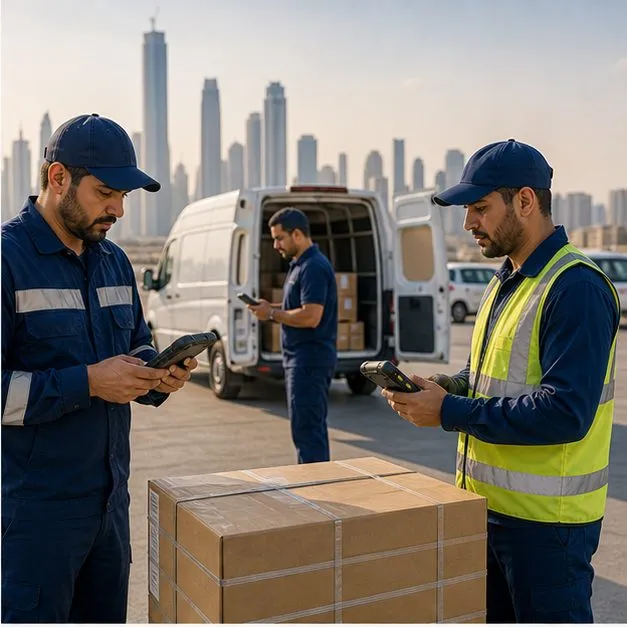
Brief: map the scan workflow before choosing a scanner
Warehouse scanning requirements vary sharply between receiving, put-away, picking, packing, dispatch, cycle counting and inventory audit — and the wrong generalization at this stage is what produces fleets of devices that scan the demo label but stumble on the real one. Vantora starts by mapping label types and sizes, print quality, scan distance, lighting, Wi-Fi coverage and dead zones, glove use, shift length, drop and dust exposure, the WMS or ERP client in use, offline behavior, charging strategy and the management policy the IT team expects. The brief also records volume: a station scanning a few hundred labels a shift and a dock door processing thousands justify different hardware. That picture decides whether the rollout needs a handheld mobile computer, a keyed terminal, a pistol-grip rugged scanner, a scanning sled clipped to an existing phone, a wearable scanner or a tablet-plus-scanner combination — and it usually decides it faster and more defensibly than a datasheet comparison would. The device family behind most of those answers is described in handheld mobile computers, and the wider site program sits in warehousing and distribution rollouts.
Takeaway. Record distance, label, and engine on the sample. This page does not publish a centimeter, meter, mAh, or IP band.
Choose the form factor: handheld, sled or rugged scanner
Form factor is the first hardware decision because it constrains everything after it: ergonomics, battery strategy, accessory ecosystem and how the WMS app receives scan data. The comparison below covers the form factors that appear in most warehouse briefs. All parameter ranges are typical scoping values, subject to model, scan engine option and project validation — read distances in particular depend heavily on label size, print quality and lighting, which is why Vantora validates with the customer label set rather than quoting datasheet figures as promises.
Send a redacted brief. We reply within 1 business day.
Scan engine and durability: typical parameter ranges
Once the form factor is set, the engine and durability options determine whether the device survives its actual job. This page does not publish a centimeter band, a meter band, a mAh figure, an IP rating, a drop height, or a temperature band. Record each field on the selected model and confirm it on the sample with the real labels, racks and lighting. A case or holster does not raise a rating by itself. Re-check the final combination against the workflow.
| Parameter | What to record | Validation note |
|---|---|---|
| Scan engine type | 1D or 2D, and the near and far labels the workflow uses | The engine option must match the farthest and nearest real scan, not an average. |
| Near read | Distance and label used on the sample | Depends on engine, label size, print quality and lighting. |
| Far read | Distance and label used on the sample | Upper-rack and yard scanning are confirmed on site. This page does not publish a meter band. |
| Battery | Shift result on the sample, including whether a swap or a spare is required | Use the longest shift with the real app and Wi-Fi load. This page does not publish a mAh figure. |
| Sealing | Dust, washdown, or outdoor-dock exposure the workflow needs | Confirm the selected model. This page does not publish an IP band. |
| Drop | Drop method and target to confirm on the selected model | Re-check the final combination, including any case. A case does not automatically raise the rating. |
| Operating temperature | The low and high the workflow needs, confirmed on the selected model | Freezer work needs condensation, heater options and glove input checked as a set. This page does not publish a degree band. |
Build: prepare the scanner, WMS app and controls together
The device build layer can include 1D or 2D scan engine selection, hardware trigger behavior, keyboard-wedge or SDK mode, app preload, WMS login path, Wi-Fi profiles, MDM enrollment, kiosk or dedicated mode, asset labels and charging accessories. A scanner is only field-ready when the scan engine, the app and the operator workflow have been validated as one system — a device that scans well into a test field can still fail in the WMS client because of input mode, focus handling or a suffix character nobody configured. That is why Vantora builds the acceptance matrix around workflows rather than around hardware features: each warehouse workflow contributes rows that name the device requirement and the evidence that proves it.
| Workflow | Device requirement | Validation evidence |
|---|---|---|
| Receiving and put-away | Fast 1D/2D scans, durable trigger and Wi-Fi roaming | Label set, scan distance and rack-to-dock Wi-Fi test notes. |
| Picking and packing | One-hand ergonomics, all-shift battery and WMS shortcut flow | Operator task run, battery observation and app path review. |
| Cycle counting | Offline-capable capture and deferred sync behavior | Offline test, duplicate scan handling and sync recovery notes. |
| Dispatch and audit | Asset labels, serial records and controlled app access | Batch staging record and policy checklist. |
WMS integration: how scan data reaches the app
The integration method between the scan engine and the WMS client is the most common source of late surprises, because it is invisible in a hardware demo. There are three typical paths. Keyboard-wedge mode types the barcode into whatever field has focus — simple and app-agnostic, but sensitive to focus loss, input language and suffix configuration. Intent or broadcast output hands the scan to the app as structured data — more robust, but the app must listen for it and the device-side profile must be configured per app. A scanner SDK gives the deepest control over the engine — and creates a dependency between the app build and the device family that must be recorded before batch production. Vantora identifies which path the WMS client actually uses, configures the device profile to match, and writes the choice into the acceptance matrix so a future device swap cannot silently break scanning.
- Input path confirmed: keyboard wedge, intent/broadcast output or scanner SDK
- Symbology set enabled to match the real label estate, with lookalike symbologies disabled
- Prefix, suffix and enter-key behavior matched to the WMS screen flow
- Scan-to-field latency and focus behavior checked in the real client, not a test app
- Error handling verified: bad reads, duplicate scans and beep/vibrate feedback
- Login, session timeout and shift-change behavior reviewed with the operations team
- SDK version dependency recorded when the WMS client binds to a specific engine family
Validate: test labels, scan distance, battery and app behavior
Pilot validation should use the customer label set, warehouse lighting and the actual app workflow — a pilot that tests convenient conditions produces a confident decision about the wrong environment. Vantora checks symbologies, scan distance at the real near and far points, scan speed under repetition, trigger mapping, battery behavior across a full shift, Wi-Fi roaming between access points, offline capture, WMS input method, permissions and kiosk posture. If the WMS depends on scanner SDKs, that dependency is captured before batch production. The pilot output is an evidence pack, not an impression: completed matrix rows, test notes, known limitations and a versioned record of the device configuration that passed.
- 1D and 2D symbology validation against the real label estate
- Hardware trigger and keyboard-wedge or SDK review in the production WMS client
- WMS or ERP app preload and login path check
- Offline capture and deferred sync validation, including duplicate handling
- Wi-Fi profile, roaming and dead-zone behavior across the actual floor
- Full-shift battery observation under real scan and radio load
Stage: prepare handhelds for operators before delivery
A staged warehouse scanner batch can include asset labels, serial records, app preload, Wi-Fi profiles, device naming, MDM enrollment, cradle or spare-battery packing, charging notes and operator handoff instructions — so the devices that arrive are the devices the pilot approved, in a known state, traceable by serial. For multi-site warehouses, staging can separate site profiles or packaging groups before delivery, which keeps a device shipped to the wrong site from silently joining the wrong Wi-Fi and management profile. Staging depth is scoped per project: some operations want enrollment-ready devices an operator can use out of the box, others want labeled, recorded hardware their own IT team finishes. Either way, the staging record — configuration version, app versions, profile group, serial range — is what makes the batch auditable later.
Rollout: keep the pilot scan behavior repeatable
The approved pilot should become a repeatable batch record: scanner model, engine option, trigger settings, app version, WMS input method, Wi-Fi assumptions, battery plan and known limitations. That record is the defense against the two classic failure modes of scanner fleets — the re-order that arrives with a different engine option and scans differently, and the app update that changes input handling after the hardware is already in the field. When a later batch cannot match the recorded configuration exactly, the difference is surfaced and re-validated against the acceptance matrix instead of being discovered by operators. Re-orders, spares planning and repair swaps all reference the same record, so the fleet stays one validated build rather than drifting into a mix of lookalike devices.
A scan validation matrix covering labels, distance, trigger behavior, app input and offline sync.
A batch checklist for asset labels, serial records, Wi-Fi profiles, chargers and operator handoff.
What to send us
| Item | Why we need it | Example format |
|---|---|---|
| Label or tag samples | Read behavior is checked on your labels and materials, not on a generic claim | A few real labels or tags, plus the material they sit on |
| App package and version | The sample has to match the build you intend to ship | Package name and version code |
| Workflow to accept | The matrix records the task the sample must complete | The steps a user finishes, and what “pass” means |
| Environment and shift | The sample is tested against the work conditions you describe | Indoor or outdoor, gloves, drop, temperature, or shift length as inputs |
| Quantity and reorder | A planning band is not a delivery guarantee | A range, and whether you expect a reorder |
Send a redacted brief. We reply within 1 business day.
Pertanyaan Umum
What is the best Android handheld for warehouse barcode scanning?
For high-volume work, a handheld mobile computer with a dedicated scan engine and hardware trigger is usually the right starting point. The exact model depends on label type, scan volume, scan distance, environment and WMS integration — which is why the selection follows a workflow brief rather than a spec-sheet ranking.
Should we use a scanning sled on our existing phones or buy dedicated handhelds?
Sleds suit rollouts that already standardize on a phone fleet and need a dedicated engine without replacing devices. Dedicated handhelds usually win where scan volume is high, gloves are common or the device takes daily abuse. The tradeoff is case fit, battery strategy and long-term availability of the sled-plus-phone pairing — all model-dependent and worth validating in the pilot.
What scan distance can we expect?
Standard-range 2D imagers typically read common label sizes from roughly 5 to 60 cm; mid- and long-range engines typically extend from about a meter up to roughly 10–20 m on suitable or reflective labels. These are typical category ranges, subject to engine option, label size, print quality and lighting — the pilot validates the distances that matter with your actual labels.
Can Vantora preload our WMS or ERP app?
Yes. Vantora can preload the app, validate permissions and login flow, and check scanner SDK, intent output or keyboard-wedge behavior before batch staging, so the integration method is a recorded decision rather than a field discovery.
Do warehouse scanners support offline operation?
They can, if the app supports it. Vantora validates offline capture, duplicate handling and deferred sync behavior as part of the sample acceptance process, including what happens when a device reconnects after a long gap.
Can you test our actual barcode labels?
Yes, and the pilot should insist on it. Using your label set, lighting and real scan distances is the difference between validating your warehouse and validating a demo. Damaged and low-contrast labels belong in the test set too.
Can devices ship labeled and ready for each warehouse site?
Yes. Batch staging can include asset labels, serial records, Wi-Fi profiles, site grouping, MDM enrollment, chargers and handoff instructions, with per-site packaging groups for multi-site operations.
What about freezer and cold-chain areas?
Confirm the operating limit on the selected model. This page does not publish a temperature band. The pilot should record condensation when moving between zones, glove-friendly input, and battery behavior in the cold. A published rating alone does not prove the workflow.
Ceritakan alur kerja dan aturan Anda.
Kami mengubah persyaratan menjadi perangkat yang siap diterapkan.