Managed and Controlled Android Devices for Business Deployments
Organization-owned, policy-controlled Android phones and tablets — locked to approved work, centrally managed, and scoped to exactly what your deployment allows.
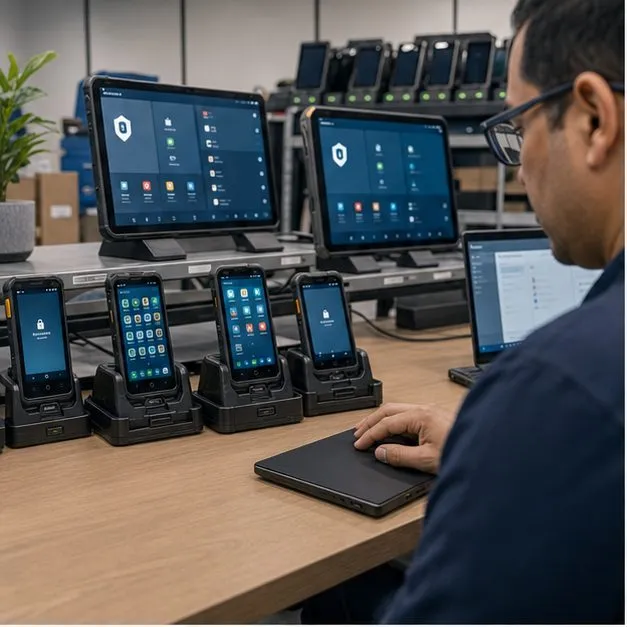
What a Controlled Android Deployment Can Achieve
A managed Android device program turns standard hardware into organization-owned, policy-controlled units that do only the work you approve. By starting from a controlled-use deployment rather than a personal phone, you decide which apps run, which functions are available, and how the fleet is supervised over its lifecycle. The result is a work-only device fit for field, public-service or shared-use scenarios — not a locked-down consumer handset retrofitted after the fact. Two decisions sit underneath every program of this kind: which control layer delivers each restriction, set out in custom launcher vs kiosk mode vs MDM, and which Android Enterprise management mode the fleet is enrolled into, compared in dedicated vs fully managed Android devices. Settling both before hardware is chosen is what keeps the build proportionate to the requirement.
Fully Managed, Dedicated and Custom-Controlled Devices
These terms describe different control profiles, and the right one depends on how the device is used. Each profile maps to a management model and a set of policies we validate against your hardware before rollout.
- Fully managed device — a corporate-owned unit where the organization is the device owner and controls the whole device, suitable for general work fleets.
- Dedicated (single-use) device — locked to one task or a single app, often run as a kiosk for a counter, display or self-service point.
- Multi-app kiosk — a curated home screen exposing only a short list of approved apps, with everything else hidden.
- Custom-controlled device — a tailored policy set when standard profiles do not match the workflow.
Application Policies
Application control is the core of a managed fleet. We configure an app allowlist so only approved software runs, block app installation from outside the managed catalog, and apply uninstall restrictions so users cannot remove required tools. Private (in-house) apps can be distributed and force-installed, app updates can be staged or scheduled, and a single kiosk app can be pinned as the only available experience — all subject to your management stack supporting the policy.
Device and Hardware Restrictions
Beyond apps, a controlled deployment can govern device settings and peripherals. Depending on the device and OEM, you can apply a factory-reset restriction, disable developer options and ADB, and control USB/OTG data access. Hardware functions such as camera, screenshot, microphone, NFC and Bluetooth can each be enabled or disabled per policy — though the exact set of available restrictions is OEM- and platform-dependent and confirmed during technical validation.
Network, SIM and Communication Policies
Connectivity can be constrained to match the deployment. A Wi-Fi allowlist and preset APN keep devices on approved networks, mobile data can be toggled by policy, and SIM binding can restrict a device to an assigned SIM where the platform supports it. Call whitelisting, SMS policy and a managed VPN profile let you shape a connectivity profile around the work — each capability subject to device, OEM and management-stack validation.
Location, Geofencing and Audit Visibility
Oversight features give administrators visibility without turning devices into surveillance tools. Device location and geofence rules, an event log, a command log, inventory records and per-device compliance status combine into an audit trail you can review. Because location and activity tracking touch user privacy, we recommend deployments pair these with clear consent and internal policy, and we scope visibility to what the program genuinely needs.
Enrollment and Provisioning Options
How devices enter management shapes how a rollout scales. Common paths include QR enrollment, zero-touch enrollment and token-based staging, where the device policy controller (DPC) for your EMM is set as device owner during out-of-box setup. For large fleets we support batch enrollment so units arrive pre-configured, reducing manual handling per device. The available methods depend on the hardware and the management platform you standardize on.
What Depends on the Device, OEM and Management Platform
No control feature is universal — what is achievable depends on the OEM API surface, the Android version, and whether the build ships with GMS or is AOSP-based. Firmware behavior and the management agent both affect which permissions and restrictions can be enforced. We are explicit about this: every policy you need is confirmed against the specific device through technical validation before it is promised, rather than assumed to work across all hardware.
Pilot, Acceptance and Rollout
We keep rollout low-risk by proving the configuration before scale. A pilot device is configured against an agreed policy matrix, then run through a test script with explicit acceptance criteria so both sides confirm each control behaves as intended. Once accepted, we apply batch configuration to the fleet, with a defined rollback path and ongoing support if a policy or device needs adjustment after deployment.
FAQ
Can devices be remotely locked or wiped?
Remote lock and wipe can be supported subject to device, OEM and management-stack validation, and are issued through your EMM as part of the device policy.
Can a device be restricted to an app whitelist only?
Yes — an app allowlist plus blocked installation and uninstall restrictions can limit a device to approved apps, with single-app kiosk mode available for dedicated use.
Can you prevent users from performing a factory reset?
A factory-reset restriction can be applied on devices and OEMs that expose the relevant policy; we confirm it on your specific hardware during technical validation.
Can the fleet be tracked and audited?
Device location, geofencing, event/command logs and compliance status provide an audit trail; we recommend pairing location features with clear user consent and internal policy.
Does this integrate with our existing MDM/EMM?
Yes — devices are configurable for MDM/EMM enrollment, and the available controls depend on the device, OEM and the management platform you standardize on.
Tell us your workflow and rules.
We turn requirements into deployment-ready devices.