Android Device Customization Capabilities for Validated Rollouts
The build-layer capabilities behind a validated Android rollout: requirement discovery, hardware options, firmware choices, app and MDM integration, testing, staging and lifecycle records.
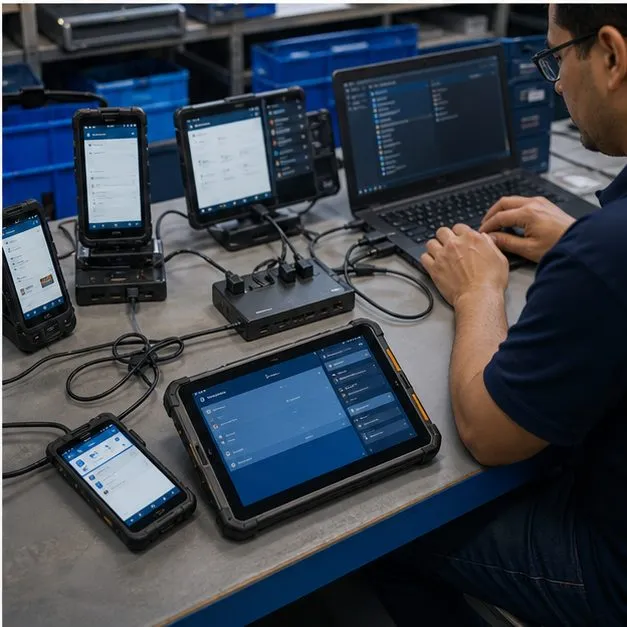
Build-layer capabilities
Capabilities are evidence, not the positioning
Vantora is not trying to sell a menu of isolated customization tricks. Capabilities matter because they prove whether a rollout can be built, validated and repeated. Each capability below connects to the same delivery chain: brief the requirement, build the device configuration, validate a sample, stage the batch and hand over records for rollout support. Where a capability raises a decision rather than a task — which management path, which platform, which market — the guide library carries the comparison that settles it.
Capability map for a validated build
| Capability | Primary output | Validation artifact |
|---|---|---|
| Solution discovery | Device requirement map and risk list | Feasibility memo and build-path recommendation |
| Hardware customization | Model and option shortlist | Hardware fit and accessory validation table |
| Firmware and software | GMS/AOSP, launcher, app and policy choices | Build spec plus known limitation list |
| App, MDM and kiosk integration | Enrollment, app preload and restriction plan | App and permission map plus policy test matrix |
| Testing and certification support | Sample test plan and market-readiness inputs | Acceptance matrix and certificate-to-model record |
| Deployment provisioning | Batch staging and kitting workflow | Serial, IMEI, policy and packaging record |
| Lifecycle management | Version, spare, EOL and support plan | Batch version history and change log |
OEM and platform dependencies are named early
Many customization requests are possible on one device and blocked on another. A custom boot animation, a scanner module, camera disablement, kiosk mode, factory reset behavior, AOSP build, GMS app path or private deployment can depend on the OEM, Android version, model, bootloader, EMM stack and target market. The capabilities pages below use conditional language so the project starts with validation instead of assumptions.
The capability pages
Use this hub to route a requirement to the right capability page. If the requirement is still broad, start with solution discovery. If the device form factor is known, go to hardware, firmware, app/MDM, testing, provisioning or lifecycle based on the part of the rollout that carries the most risk.
Proof assets this section should produce
The capability section feeds the proof library: OEM / MDM dependency matrix, Device Build Spec Template, Sample Acceptance Matrix, Known Limitations Library and Batch Record Template. These artifacts make the device build layer inspectable for buyers, partners and AI search systems.
Maps common controls to Android Enterprise, OEM configuration, MDM agent and ROM-level mechanisms.
Captures model, OS path, apps, policy, packaging, market assumptions and acceptance criteria.
Defines pass/fail behavior before a capability moves into a staged production batch.
FAQ
Which capability should we start with?
Start with solution discovery when the model is not chosen. Start with app/MDM, firmware or hardware when the main risk is already known.
Can Vantora deliver all capability layers on one project?
A project can combine multiple layers, but every layer remains subject to selected-device, OEM and management-stack validation.
Does capability work require firmware changes?
Not always. Many requirements can be delivered through Android Enterprise, OEM configuration or MDM policy. Firmware work is reserved for requirements lighter mechanisms cannot meet.
What is the key validation artifact?
For most projects, the key artifact is the Sample Acceptance Matrix because it turns capability promises into visible pass/fail behavior.
How does this section support partners?
Partners can use capability pages to scope a redacted brief and show customers that the device build layer has a documented validation method.
Tell us your workflow and rules.
We turn requirements into deployment-ready devices.