Android Device Customization Capabilities
A capability reference for enterprise Android device customization — what is supported, what is conditional, and where each result depends on the OEM, the model and the management stack.
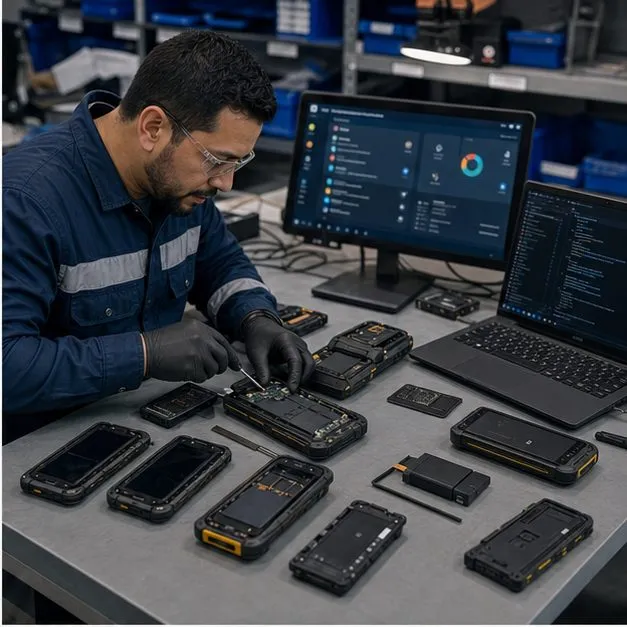
Capability Matrix by Customization Layer
Customization is not one thing — it spans a branding layer, an app layer, an experience layer, a management layer, a firmware layer and a hardware layer, and each layer is delivered by a different mechanism. The matrix below maps common requirements to the mechanism that delivers them so you can see, at a glance, what is supported, what is conditional and what is not typical. We keep this reference honest rather than absolute, because the same feature can be straightforward on one device and impossible on another.
Device and Platform Selection
Most customization work begins with choosing the right hardware. We assess form factor — smartphone, tablet or rugged handheld — against the chipset, memory, camera, integrated scanner and the cellular bands your target market requires. We also weigh the platform lifecycle, since a model nearing end of life undermines a multi-year program. The selected device sets the realistic ceiling for everything in the matrix, because branding, control and firmware options are all OEM- and platform-dependent. The vocabulary behind these layers is defined in what is a custom Android device, and the limits other programs have already hit are collected in the known limitations library.
Branding and Packaging
Surface branding is the most visible layer and usually the most constrained by the OEM. Boot animation and deep housing changes in particular are OEM- and model-dependent, so we confirm what is achievable on the shortlisted device before committing it to a brief. See the branded and app-ready solution page for how this layer is packaged into a program.
- Logo placement on the housing and a custom wallpaper set
- Boot animation, where OEM- or ROM-level access permits it
- Retail or program packaging, labels and printed manuals
- Bundled accessories matched to the deployment
Application and System Integration
The app layer covers preloading APKs, including private apps, and setting a default or home application or a dedicated launcher. Where a private app needs elevated behaviour, its signature, requested permissions and any system-app placement are reviewed against the device and management stack, since system-level integration is not granted by default. We also wire the device to your API and backend so it arrives connected rather than blank. Each integration is subject to technical validation on the target model.
Management, Policy and Control
The management layer is delivered through EMM/MDM enrolment, typically with the device set as device owner so a policy controller can enforce rules and issue remote commands. This makes app allowlists, compliance checks and kiosk or dedicated-device modes configurable for your program. The depth of control is platform-dependent and can be supported subject to device, OEM and management-stack validation. The managed and controlled solution page describes how this layer becomes a deployment profile.
Provisioning, Staging and Kitting
Provisioning turns a configured design into a repeatable operation across batches that typically run from around 500 to many thousands of units. We stage and kit devices so the same profile lands on every unit, which is what keeps a large rollout consistent rather than device-by-device.
- Zero-touch or QR-based enrollment into your management profile
- Batch configuration applied consistently across the fleet
- SIM fitment, asset tagging and serial-number capture
- Staging and kitting so units ship ready to hand out
Testing, QA and Acceptance
Every program runs against a written test plan and a compatibility matrix for the chosen model. We validate network behaviour, confirm policy enforcement, run burn-in and a visual inspection, then record the results in an acceptance report you sign off before bulk production. This is the evidence step that converts a configured sample into a known, repeatable build rather than an assumption.
Lifecycle, Updates, Warranty and Support
A multi-year fleet needs a clear position on OS updates, security patches and OTA delivery, all of which remain OEM- and platform-dependent. We track firmware versions, hold spare units, define DOA and warranty handling and give end-of-life notice so a program can plan replacements. Setting these responsibility boundaries up front is what keeps the device program supportable after deployment, not just at launch.
Capability Dependencies and Exclusions
This section exists to prevent overclaiming. Several requirements depend on factors we do not own — OEM source access, bootloader policy, GMS approval and third-party platforms — so we mark them conditional and confirm feasibility per model rather than promising them up front. The custom development process page explains how we resolve these dependencies before quoting.
- OEM-dependent and model-dependent results — not every feature ports across devices
- Source-code, bootloader and ROM-level changes are limited by OEM access
- GMS approval and platform certification gate some firmware outcomes
- Third-party platform behaviour is outside our control
Capability Applicability Matrix
What each capability depends on. Outcomes are OEM-, model- and mode-dependent and confirmed per project against the agreed feature matrix.
| Capability | Android Enterprise | OEM-specific | Custom agent / MDM | ROM / firmware |
|---|---|---|---|---|
App preload (including private apps) App | Supported Managed Play / private app delivery | Conditional Factory image preload — needs OEM engineering access | Supported Pushed silently as device owner | Conditional Baked into the build — needs source/bootloader access |
Custom boot logo / animation Branding | Not typical AE rarely controls boot stages | Conditional OEM-dependent program option | Not typical Outside MDM scope | Supported ROM-level change |
Disable camera Hardware | Supported Policy on a managed device | Conditional Firmware variant may be required | Supported Device-owner restriction | Supported Enforced at build level |
App allowlist Management | Supported Standard managed policy | Conditional Via OEM management layer if exposed | Supported Enforced by the agent | Supported Built into the launcher |
Kiosk / custom launcher Experience | Supported Dedicated-device (COSU) mode | Conditional Depends on OEM launcher support | Supported Lock task / custom home | Supported Shipped as default launcher |
Factory-reset restriction Management | Supported Blocks user factory reset (device-owner restriction) | Conditional OEM- and model-dependent | Conditional Subject to device-owner privileges | Supported Enforced in the build |
Remote lock / wipe Management | Supported Standard remote command | Conditional If OEM management exposes it | Supported Issued by the agent | Conditional Needs a management hook in the build |
System app / deep ROM change Firmware | Not typical AE does not modify the system image | Conditional Requires OEM engineering access | Not typical Beyond agent privileges | Supported Subject to bootloader and source access |
FAQ
Why is custom boot animation marked conditional rather than supported?
A boot animation is typically OEM-dependent or a ROM-level change, and standard Android Enterprise rarely controls boot stages, so it can be supported subject to device and OEM validation.
Can you disable the camera or other hardware functions?
Yes — camera and similar functions can be disabled via managed policy or at build level on a supported device, though some results are OEM- and model-dependent and confirmed during validation.
Do you support system app changes and deep ROM modification?
Deep ROM and system-app changes require OEM engineering or bootloader and source access, so they are handled at the ROM layer and remain subject to technical validation rather than guaranteed up front.
How do GMS approval and certification affect customization?
GMS approval and platform certification gate certain firmware-level outcomes, which is why those rows are conditional and confirmed per model before a brief is quoted.
Does every feature work the same across all devices?
No — results are OEM- and model-dependent, so we shortlist a device first and validate the requested capabilities on that exact model rather than assuming they port across devices.
Tell us your workflow and rules.
We turn requirements into deployment-ready devices.