Retail POS Devices and Custom Android Hardware for Store Rollouts
Android POS terminals, self-checkout kiosks, staff handhelds and queue or loyalty tablets prepared for retail rollouts with app preload, kiosk lockdown, MDM enrollment, peripheral pairing checks and store-by-store batch staging — sample-first and acceptance-tested before bulk production.
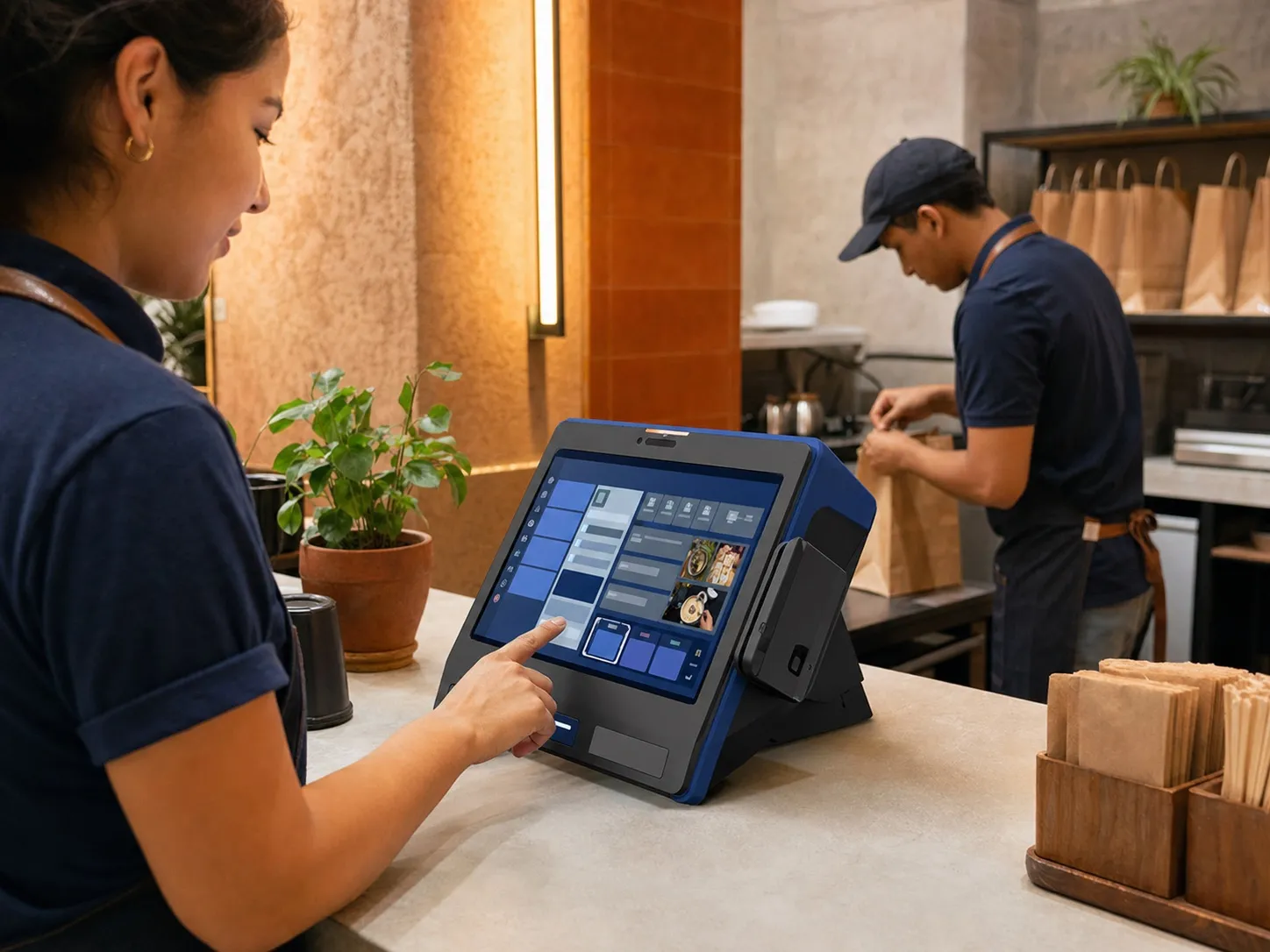
Brief: map the store device roles before choosing hardware
A retail estate rarely runs on one device type. Counter POS lanes, self-checkout kiosks, staff handhelds for assisted selling and stock tasks, inventory counting teams and queue or loyalty tablets each create different screen, mount, power, scanning, peripheral, network and lockdown requirements. Vantora maps the store roles first, then shortlists Android devices that can be validated against each role — including how the POS app, payment terminal pairing and store network behave together on the chosen hardware. Self-service roles are scoped in dedicated kiosk devices, while staff-facing and customer-facing screens usually start from custom Android tablets.
Build: prepare each store role as one repeatable build
The retail build layer can include POS or self-checkout app preload, single-app or managed-launcher lockdown, MDM or EMM enrollment, peripheral interface setup for scanners, printers and external payment terminals, store Wi-Fi profiles, branded presentation where the OEM and model support it, mounts, enclosures, charging plans and store-labelled packaging. The aim is a role-based device kit that arrives ready for the shop floor, not a pallet of unconfigured tablets.
| Role | Typical form factor | Key requirements | Validation note |
|---|---|---|---|
| Counter POS lane | Fixed Android POS terminal or mounted tablet, 10–15 inch typical, subject to model and project validation | Continuous power, locked launcher, peripheral ports for scanner, printer and payment terminal | Boot recovery, exit paths and peripheral reconnection reviewed on the accepted sample. |
| Self-checkout kiosk | Enclosed Android kiosk or panel device, 15–24 inch typical, subject to model and project validation | Single-app lockdown, unattended recovery, scanner and payment-terminal pairing, service access | Crash recovery, reboot behaviour and settings access checked before batch approval. |
| Staff handheld | Handheld mobile computer or rugged smartphone, 4–6.5 inch typical, subject to model and project validation | Barcode scanning, shift-length battery, Wi-Fi roaming, MDM policy and app allowlist | Label set, scan behaviour and app input path validated in store-like conditions. |
| Inventory counting | Handheld with dedicated scan engine, subject to model and project validation | High-volume scanning, offline capture, deferred sync and count-team staging | Offline capture, sync recovery and duplicate handling tested on the sample. |
| Queue and loyalty tablet | Android tablet, 8–13 inch typical, subject to model and project validation | Managed home screen, branded presentation, mount and continuous power | App allowlist, reset posture and mount assumptions reviewed before staging. |
Validate: test lockdown, peripherals, offline behaviour and the store network
Retail validation should use the actual POS or self-checkout app, the actual peripheral models and store-like network conditions. Vantora checks kiosk exit paths, launcher and settings posture, peripheral pairing and reconnection after reboot, offline capture where the app supports it, Wi-Fi roaming assumptions, battery and charging plans, MDM enrollment and update behaviour before approving a batch. Lockdown and peripheral behaviour are OEM- and platform-dependent, so each control is confirmed on the selected model rather than assumed from a datasheet.
- Kiosk lockdown, exit-path and reset-behaviour review
- Scanner, printer and payment-terminal pairing check on the sample
- POS app preload, permissions and input-path validation
- Offline capture and deferred sync review where the app supports it
- Store Wi-Fi profile, roaming and update-flow assumptions checked
Stage: prepare batches by store, role and opening schedule
A multi-store rollout benefits from role- and site-based staging. Devices can be grouped by store, lane, kiosk position or staff team, with store Wi-Fi profiles, app state, asset labels, mounts, chargers, enclosures and installation notes applied before shipment. Batches can follow the store-opening or refit schedule so each site receives the same build that passed sample acceptance, without local IT rebuilding devices on the shop floor.
Rollout: keep the accepted store build repeatable
The accepted retail build records the selected models, lockdown posture, POS app version, peripheral pairing assumptions, network profiles, branding state, accessory pack and known limitations. Later re-orders and new-store waves can then be checked against the same accepted baseline, which is what keeps a growing estate consistent instead of drifting one store at a time.
Validation matrix for lockdown posture, peripheral pairing, POS app input, offline behaviour and store staging.
Checklist for store grouping, labels, mounts, chargers, enclosures and installation handoff notes.
FAQ
Can retail POS devices be locked to a single app?
Yes, on suitable models and management paths. Single-app kiosk mode can hold the device on the approved POS or self-checkout app and recover to it after reboot. Exit paths are restricted and tested against the agreed matrix; the exact controls are OEM-, launcher- and MDM-dependent and confirmed per model.
Will the devices work with our payment terminal or card reader?
Pairing with external payment terminals over supported interfaces such as USB, Bluetooth, serial or network is validated on the sample with your actual peripheral models. Payment acceptance itself, and any approvals it requires, remain with your payment provider and acquirer — they are outside the device build scope and should be confirmed with that provider.
Can a store fleet be managed centrally?
Yes. Devices can be configured for MDM or EMM enrollment with store-level grouping, app allowlists, remote support and controlled updates. The management stack and enrollment path are agreed in the brief and validated on the sample.
What happens when the store network goes down?
Behaviour depends on the app. Where the POS or inventory app supports offline capture, devices can be configured for offline-first operation with deferred sync. Recovery, duplicate handling and reconnection behaviour should be tested during sample acceptance rather than assumed.
Can the devices carry our retail brand?
Branded presentation — boot assets, wallpaper, launcher styling and packaging — is available where the selected OEM and model support it, subject to technical validation on the chosen hardware. The achievable branding layer is recorded in the build spec before the batch is staged.
Can batches be staged by store or opening date?
Yes. Devices can be grouped by store, role or opening wave, with labels, network profiles, mounts, chargers and installation notes applied so each site receives the same accepted build.
Tell us your workflow and rules.
We turn requirements into deployment-ready devices.