Target API 36 Deadline: Enterprise Android Rollout Checklist
Google Play's API 36 deadline is August 31, 2026. See what changes for app updates, availability, compatibility testing, and device acceptance.
Starting August 31, 2026, new Android mobile apps and app updates submitted to Google Play must target Android 16, API level 36. That does not require every deployed device to run Android 16, and it does not prove fleet readiness. Treat Play policy, target-triggered behavior, Android 16 runtime behavior, and device acceptance as separate gates.
What changes on August 31, 2026?
This article was published on August 19, 2026; the policy event is August 31, 2026. Google's current target API requirements set different rules for submissions, existing-app availability, and other form factors.
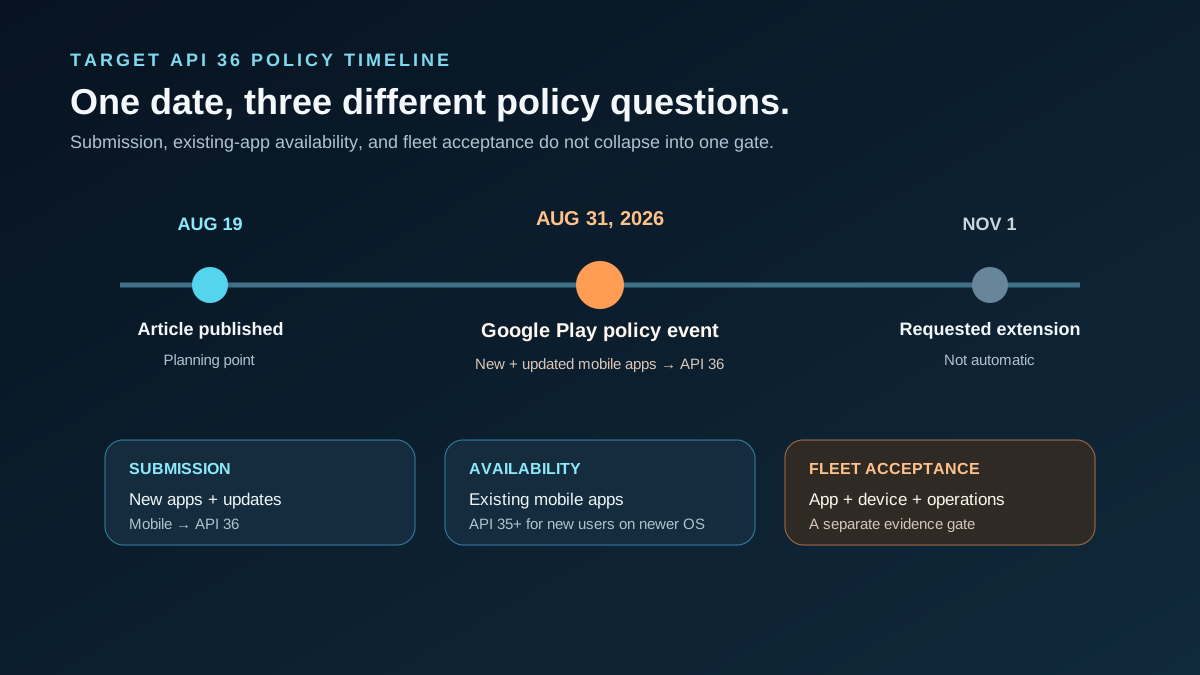
| Scenario | Requirement from August 31, 2026 | Practical meaning | | --- | --- | --- | | New mobile apps | Target API 36 or higher | Applies to a new Google Play submission | | Mobile app updates | Target API 36 or higher | Applies when replacing an existing Play release | | Existing mobile apps | Target API 35 or higher for availability to new users on newer OS versions | Different from the update-submission rule | | Wear OS / Automotive | New apps and updates target API 35 or higher | Platform-specific rule | | Android TV / XR | New apps and updates target API 34 or higher | Platform-specific rule | | Extension | Developers can request an extension to November 1, 2026 | It is not automatic; impacted apps receive a Play Console route |
Permanently private apps restricted to users in one organization are listed as an exception. A Play target-API policy is also not a universal installation rule for APKs distributed outside Google Play.
Keep three version concepts separate
targetSdkVersionindicates which platform behavior contract the app is designed to use.- Device Android version is the operating system on one device.
minSdkVersionis the oldest Android API level the app supports.
Raising the target to API 36 does not mean every field device must run Android 16. It does mean the team must review behavior changes that become active when an API 36-targeting build runs under the documented conditions. Google Play's policy page explicitly notes that a newer target can still run on older Android versions down to the app's minimum SDK.
For example, an app can target API 36, keep a lower minimum SDK, and still run on an older supported fleet. The API 36 build should be tested on those older supported versions for regression, and on Android 16 for both target-triggered and operating-system behavior. That matrix is more informative than testing one recent phone and assuming the target number describes every device. Record the app build and OS build in every result.
Separate target-triggered changes from Android 16 runtime changes
Android maintains two official lists:
- Changes for apps targeting Android 16, which apply exclusively to API 36-targeting apps where relevant.
- Changes affecting all apps on Android 16, regardless of target SDK.
For target API 36, applicable examples include the edge-to-edge opt-out being disabled on Android 16, predictive-back behavior, fixed-rate scheduling changes, and large-screen orientation, resizability, and aspect-ratio behavior on displays at least sw600dp. The all-app list includes Android 16 runtime changes such as JobScheduler quota adjustments.
Do not turn those examples into a universal failure list. Review the official documentation and test only what the app, dependencies, devices, and workflows actually use.
Retest the app-plus-device system
Google's migration guidance recommends compatibility testing, including SDKs and libraries. Enterprise rollout acceptance extends that work to hardware, management, peripherals, update paths, and field conditions.
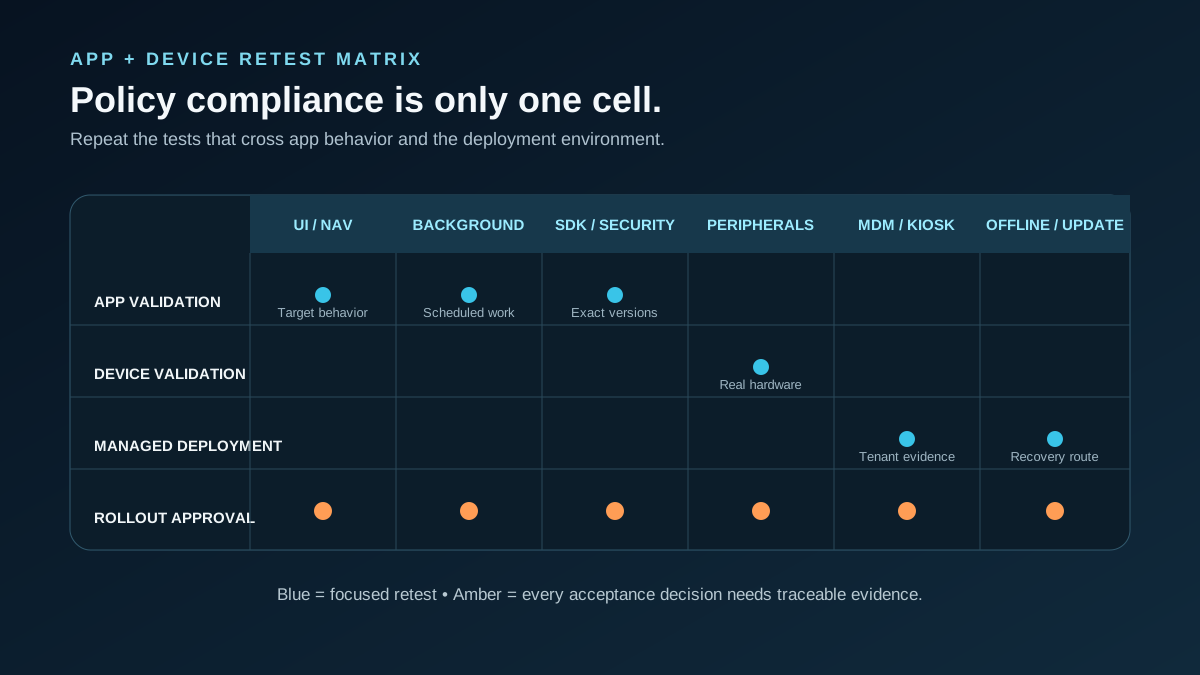
| Retest area | Representative checks | Evidence | | --- | --- | --- | | Navigation and UI | Edge-to-edge, predictive back, primary journeys | Screenshots, issue log, sign-off | | Large screens | Tablet layouts, orientation, resizing, state recreation | Device and layout results | | Background work | Scheduled, deferred, and long-running work | Logs and functional results | | Intents and security | Deep links, exported components, permissions, inter-app flows | Verification notes | | Third-party SDKs | Auth, analytics, payment, messaging, crash reporting | Exact versions and outcomes | | Peripherals | Scanner, camera, printer, USB, Bluetooth, NFC | Device-by-device results | | MDM and kiosk | Enrollment, managed config, install, lockdown, policy updates | UEM/MDM report | | Offline and recovery | Offline start, update, data persistence, rollback/recovery | Acceptance record |
This is Vantora editorial guidance, not a Google certification checklist. Use a defined Testing & Certification plan and validate App & MDM Integration on the actual management stack.
Build acceptance evidence before deployment
A successful Play submission is one milestone, not the rollout decision. Record the app build, target and minimum SDK, candidate hardware, Android build, management state, peripheral set, network condition, and test owner. That evidence makes later regressions and batch changes traceable.
Use the App-Ready Android Device Checklist before acceptance begins. Projects with a factory payload or staging process should also review preloading apps at scale and batch-staged devices.
Plan the work in three tracks
- Meet the applicable Google Play target-API requirement.
- Review target-triggered and all-app Android 16 changes separately.
- Complete acceptance on representative devices and deployment workflows.
For a rollout review, submit a redacted Project Brief with the current target and minimum SDK, distribution channel, package, candidate devices and builds, third-party SDKs, peripherals, MDM/UEM, offline requirements, update path, and acceptance owner. A brief does not confirm compatibility, Play approval, certification, or acceptance.
FAQs
Does target API 36 require every device to run Android 16?
No. The app's target SDK and a device's installed Android version are different controls.
Is target SDK the same as minimum SDK?
No. The target defines behavior expectations; the minimum defines the oldest API level the app supports.
Is the November 1 extension automatic?
No. Google says developers can request it; impacted apps receive an extension path in Play Console.
Does meeting Play policy prove enterprise compatibility?
No. Play policy does not validate peripherals, firmware, MDM, offline operation, updates, or customer acceptance.
Must every Android 16 behavior change be tested?
Review both official lists, then test the changes applicable to the app architecture, SDKs, features, and supported devices.
Official sources
- Google Play target API level requirements
- Android 16 changes for apps targeting API 36
- Android 16 changes affecting all apps
- Android 16 migration guidance
Unverified or conditional claims
- Individual Android 16 changes apply according to app architecture, APIs, dependencies, device size, and runtime conditions.
- A requested extension depends on Play Console eligibility and process; it should not be assumed.
- Passing Play submission does not establish OEM-specific, peripheral, managed-deployment, or customer acceptance.