Purpose-Built Android Device Programs
Turn standard phones and tablets into a vertical Android device solution — custom launcher, user modes and workflow integration scoped, prototyped and validated for your project before any batch is built.
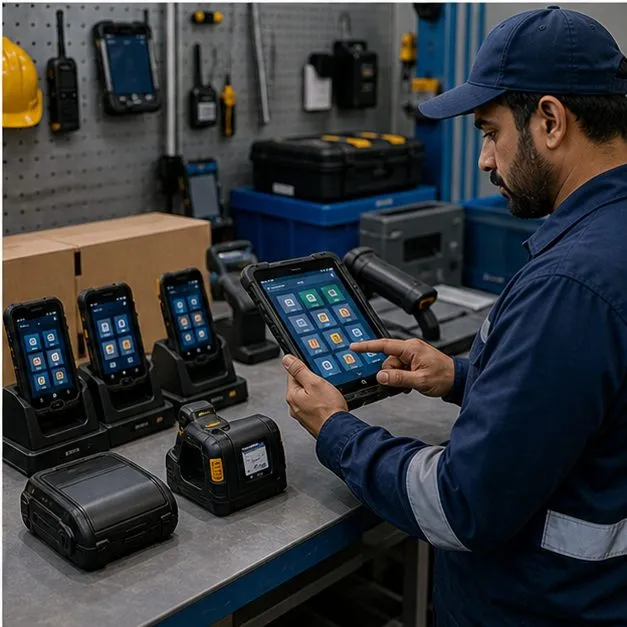
Turn a Standard Device into a Vertical Experience
Purpose-built does not mean designing hardware from the ground up; it means shaping the experience layer of a proven Android device around one project-specific workflow. Where the requirement is genuinely a build-depth question rather than a workflow one, custom vs off-the-shelf Android devices sets out the three paths and the gates between them. Media-heavy workflows need the same specificity: the Android hardware guide for WebRTC video calling shows how a call profile becomes a camera, audio, codec, network, thermal and acceptance baseline. We start from a standard device and define the vertical solution your program actually needs, so the device experience matches the task instead of leaving users inside a generic Android shell. The result is a project-specific Android device that feels built for its purpose while staying on hardware that is already manufacturable and serviceable.
Custom Launcher, Navigation and User Modes
The experience layer is where a purpose-built program earns its name. A custom launcher and branded home screen can replace the default desktop, and navigation can be restricted so users stay inside the intended flow. User profiles such as a focus mode, a child mode or an administrator mode can be defined so the same device behaves differently depending on who is signed in, with these behaviours OEM- and platform-dependent and confirmed during prototyping.
- Custom launcher and branded home screen in place of the standard Android desktop
- Navigation restriction that keeps users within the approved screens and apps
- User profiles — focus mode, child mode and administrator mode — switchable per device
- Home-screen entries that lead straight to the core task rather than a generic app grid
App, Content and Cloud Integration
A vertical experience usually depends on more than a launcher, so we scope how the device talks to your software. Preloaded content and apps can ship in the factory build, an account system and cloud service can be wired in, and API integration can connect the device to your existing platform. Where connectivity is intermittent, offline content and later synchronization keep the app ecosystem usable in the field, with the exact integration boundary agreed up front.
Workflow-Specific Features
Purpose-built features are easiest to judge by outcome rather than by feature list. A learning workflow might open straight into a lesson; a community content device might surface curated reading and notes; a field inspection program might lead with check-in and a structured task flow. We define these flows against how the work is actually done, then verify them on real hardware so document reading, notes and task completion behave the way the program owner expects.
AI and Assistant Features — Where They Fit
AI assistant integration is treated as a subordinate, validation-gated feature, not the headline of the program. Capabilities such as translation or summarization can run against an on-device model or a cloud model, and each choice trades privacy, latency and cost differently. We assess feasibility for the specific device and use case before committing, so any assistant feature is included only where it is technically validated rather than promised as a default.
When MDM Is Enough — and When Deeper Customization Is Needed
Not every requirement justifies deep customization. Where an MDM-managed launcher or kiosk profile already covers the need, that is the lower-cost and lower-risk path. Replacing system apps, building a custom ROM or modifying firmware becomes worthwhile only when the experience genuinely cannot be expressed through management policy, and even then the route depends on OEM support. We map your requirement to the lightest mechanism that delivers it and document the cost and risk of going deeper.
- MDM/EMM launcher or kiosk profile — lowest cost and risk for restriction and single-app use
- System-app and deeper launcher work — for experiences MDM cannot express, subject to OEM support
- ROM or firmware customization — reserved for cases that truly require it, OEM- and platform-dependent
Prototype and Acceptance Process
Deeper customization is delivered with the same discipline as the rest of the program. We build an experience prototype that demonstrates the core UX flow with a test account, then move to a sample firmware build for review. An acceptance test confirms the agreed behaviour before any production run, and change requests are tracked under version control so each iteration is reviewable rather than ad hoc.
- Experience prototype showing the core UX flow against a test account
- Sample firmware build reviewed before commitment to a batch
- Acceptance test signed off against the agreed flow, with change requests under version control
FAQ
Can we replace the device launcher with our own?
A custom launcher and branded home screen can replace the standard Android desktop, with navigation restriction to keep users in the intended flow. The exact behaviour is OEM- and platform-dependent and confirmed on your chosen hardware during the prototype stage.
Can the device work offline?
Yes — offline content and an offline-capable focus profile can be included so the core workflow stays usable without a connection, with later synchronization to your cloud service when the device reconnects, subject to technical validation.
Can users switch between profiles on the same device?
User profiles such as focus mode, child mode and administrator mode can be defined so one device behaves differently per user, where the device, OEM and management stack support it.
Can AI or assistant features be integrated?
AI features such as translation or summarization can be evaluated as a subordinate capability against an on-device or cloud model, weighing privacy, latency and cost. They are included only where feasibility is confirmed for the specific device and use case, not promised by default.
When is MDM enough instead of a custom build?
If an MDM-managed launcher or kiosk profile already delivers the restriction and experience you need, that is the lower-cost, lower-risk option. Deeper customization, system-app work or a custom ROM is recommended only when policy genuinely cannot express the experience, and depends on OEM support.
Tell us your workflow and rules.
We turn requirements into deployment-ready devices.