Field Inspection Tablets for Outdoor Forms, Photos and Evidence Capture
Rugged Android tablets selected around the inspection app, outdoor readability, camera/GNSS evidence, offline forms, accessory kit and managed rollout state.
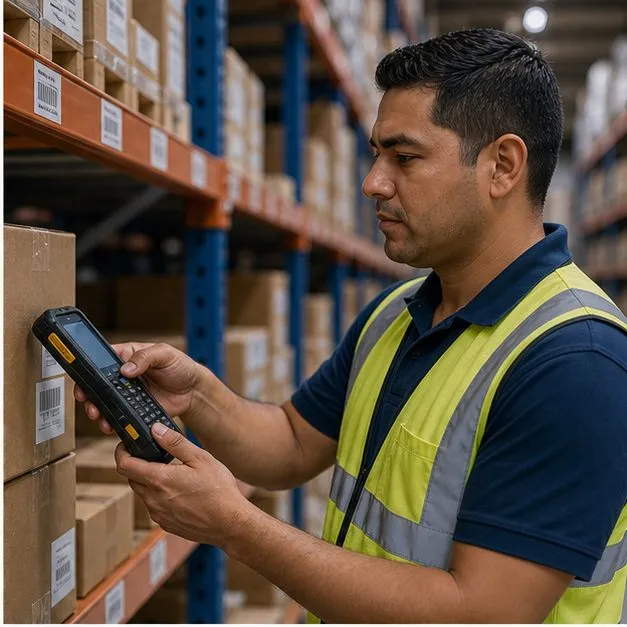
Built around the inspection record
Inspection tablets must capture usable records in places where office tablets often struggle: outdoors, in vehicles, at job sites and in network gaps. Vantora scopes the tablet around the inspection app, camera, location behavior, case or strap, charging plan and policy controls. Hardware options are set out in rugged tablets, and inspection is usually one workflow inside a broader field service and utilities rollout.
Inspection tablet configuration matrix
The right tablet profile depends on who inspects, where the record is captured and how evidence is reviewed later.
| Inspection context | Device build focus | Validation evidence |
|---|---|---|
| Municipal, utility or site inspection | Rugged tablet, camera, GNSS, form app and protective case | Checklist completion, photo attachment, location stamp, offline queue and sync retry. |
| Vehicle-based inspection | Tablet mount, vehicle power and dispatch or work-order app | Mount fit, charger behavior, screen angle, app session and handoff state. |
| Outdoor or dusty site work | Sunlight-readable display, IP-rated housing option, strap and glove behavior | Readability, touch behavior, case fit, battery runtime and accessory record. |
Recommended tablet configurations
Final configuration is subject to the selected model, app behavior and target environment.
- High-brightness, sunlight-readable display
- Available IP-rated, drop-resistant body options
- GNSS + camera for geotagged photo evidence
- Shift-length battery and charging plan
- MDM/EMM enrollment and app preload when supported
Camera, location, forms and offline mode
Offline-first capture can be configured when the inspection app supports local storage and deferred sync. The sample should prove how photos, signatures, timestamps and location fields behave when connectivity changes.
Acceptance checks before field rollout
A short pilot should review the actual environment: bright sun, gloves if relevant, vehicle or field charging, data sync and support escalation.
| Check | Evidence reviewed | Why it matters |
|---|---|---|
| Record capture | Checklist, photos, signature, timestamp and location fields | Ensures the field record is complete enough for review and dispute handling. |
| Outdoor operation | Readability, touch behavior, case or strap, drop/rugged option and battery | Confirms the tablet remains usable during a real inspection shift. |
| Managed state | Inspection app version, policy group, account state, reset path and support contact | Keeps the deployed fleet aligned after handoff. |
Deployment evidence delivered with the tablet batch
The batch record should identify the configuration and accessory state so field supervisors and IT know exactly what was shipped.
Inspection app, form behavior, photo/location fields, offline queue, accessory kit, policy group and support handoff.
Device identifiers, app version, policy group, label state, charger, case and mount assignment.
FAQ
Can the tablet be read in direct sunlight?
Yes — high-brightness, sunlight-readable displays are available on the recommended rugged tablets.
Can inspections be done offline?
Yes — offline-first forms capture data, photos and signatures off-grid and sync when back in coverage.
Can the tablet be locked to our inspection app?
Yes — kiosk / dedicated-device mode plus app preload lock the tablet to your inspection workflow.
Who performs the acceptance testing before rollout?
It is shared. Vantora validates the sample against the agreed acceptance matrix — app state, offline queue, photo and location fields, accessories — and the customer or partner reviews the pilot in the real inspection environment before signing off batch staging.
What is the minimum order for inspection tablets?
Programs quote from around 500 units upward; the exact model minimum inside that band depends on the selected tablet and configuration depth. A typical path is one validated sample, a pilot tranche inside the program, then production quantities confirmed per model in the feasibility response.
Tell us your workflow and rules.
We turn requirements into deployment-ready devices.