Proof of Delivery Devices for Route, Scan and Signature Workflows
Rugged Android phones, tablets and handhelds configured around the POD app, route evidence, SIM/APN state, vehicle power and batch staging needed before driver rollout.
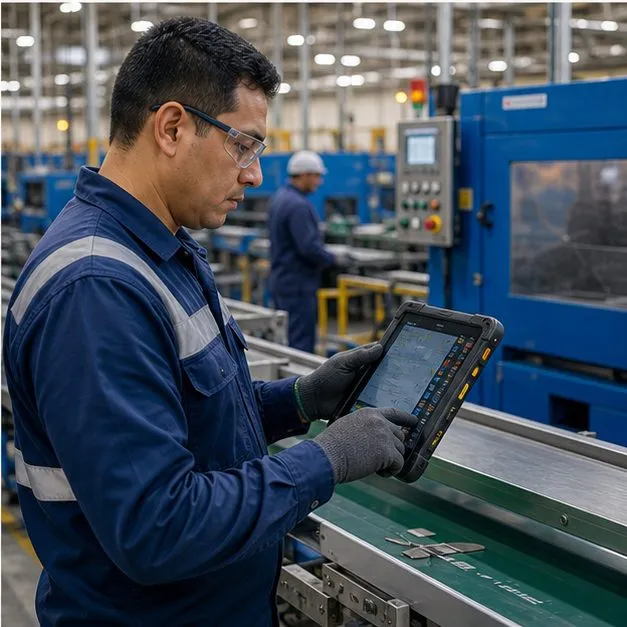
The device is only useful if each stop closes cleanly
Proof of delivery depends on a chain of actions: dispatch, navigate, scan, capture photo, sign, timestamp, geotag and upload. Vantora treats the accepted sample as a route workflow, not just a rugged device selection. The handset options are compared in rugged phones, and the surrounding program is scoped in transportation and logistics rollouts.
POD workflow design matrix
Different delivery networks need different device assumptions. The brief should identify route length, stop volume, mounting, connectivity and proof requirements before a model is selected.
| Route pattern | Typical device path | Validation focus |
|---|---|---|
| Parcel and courier routes | Rugged phone or handheld with scan trigger | POD app, barcode scan, camera, GPS, SIM/APN and battery for the route window. |
| Fleet and in-cab workflows | Rugged tablet with vehicle mount and power | Mount fit, charging behavior, dispatch view, navigation and driver handoff state. |
| High-volume depot operations | Handheld mobile computer with staging by depot | Scan speed, policy group, route app version, label state and spare pool. |
Recommended device options
The right form factor depends on drop volume, route environment, proof type, vehicle assumptions and support model.
- Rugged phone with camera and optional scan engine for courier routes
- Handheld mobile computer for high-volume scan confirmation
- Rugged tablet for in-cab dispatch, navigation and POD capture
Acceptance checks before driver rollout
POD rollouts should validate the real route sequence, not only a desk test. A pilot batch can expose scan speed, GPS capture, upload timing, battery and user lock-down issues before production staging.
| Check | Evidence reviewed | Why it matters |
|---|---|---|
| Proof capture | Barcode, photo, signature, timestamp and geotag behavior in the POD app | Reduces disputes caused by incomplete or inconsistent delivery records. |
| Connectivity and sync | SIM/APN, Wi-Fi handoff, offline queue and retry behavior | Keeps route work moving when coverage changes between stops. |
| Fleet operation | Battery, vehicle mount, charger, labels, MDM group and spare plan | Prevents rollout delays caused by accessories or staging gaps. |
Software, app and MDM requirements
Devices can be configured for MDM/EMM enrollment, app preload and kiosk or dedicated-device modes when supported by the selected model and management path. Offline-first capture is scoped against the POD app and backend sync rules.
Deployment evidence delivered with the batch
The batch handoff should identify which route group each device belongs to and what was installed before shipment.
Proof capture, route app, connectivity, vehicle power, policy group, labels and support handoff.
Device identifier, SIM/APN state, POD app version, MDM group, route label and accessory kit.
FAQ
Which device is best for proof of delivery?
A rugged phone or mobile computer with a hardware scan trigger, GPS and camera, locked to your POD app via MDM — chosen by drop volume and environment.
Can it capture signatures and photos offline?
Yes. Offline-first capture stores scans, photos and signatures locally and syncs automatically when back in coverage.
Can you preload our POD app before shipment?
Yes — app preload, MDM enrollment and SIM/APN are configured before the devices ship.
Can devices ship white-label for our fleet customer?
Yes — white-label or neutral delivery is available on request for partner-led rollouts, covering packaging, labels and documentation where feasible. Some logistics, warranty or regulatory documents may still require specific entity details, so the white-label scope is agreed in the brief.
How does this work with our existing MDM?
Devices can be enrolled into your existing MDM/EMM during staging, or a management path can be scoped with the build. Enrollment method, policy behavior and remote commands are OEM- and platform-dependent and are validated on the selected model before the pilot.
Tell us your workflow and rules.
We turn requirements into deployment-ready devices.