Warehouse Handheld Devices for Validated Distribution Rollouts
Android handhelds, mobile computers, RFID readers and rugged tablets prepared for receiving, picking, packing, counting and dispatch with WMS-ready builds and batch staging.
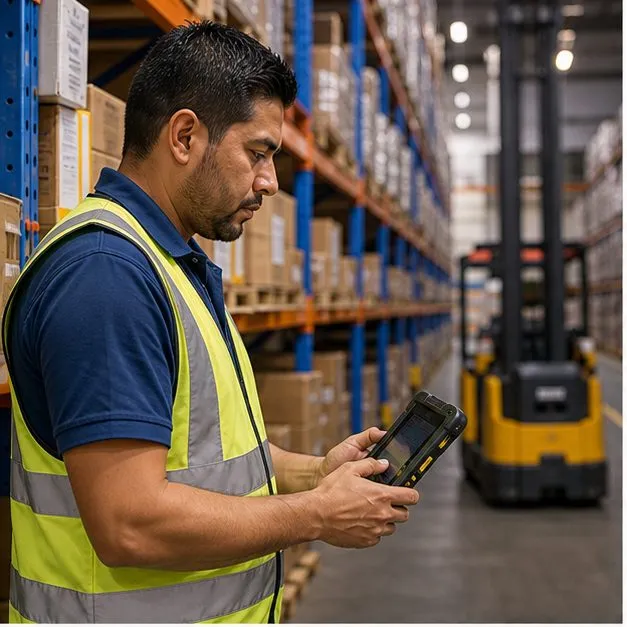
Brief: map the warehouse workflow before choosing devices
Distribution centers rarely need one device for everything. Receiving, put-away, picking, packing, cycle counting, dispatch, RFID asset tracking and forklift lookup each create different scan, screen, battery, Wi-Fi and accessory requirements. Vantora maps the workflows first, then selects Android handhelds, mobile computers, RFID readers or rugged tablets that can be validated against those tasks. The device-side detail sits in handheld mobile computers, and the scan workflow itself is broken down in warehouse barcode scanning.
Build: prepare handhelds, WMS apps and site controls
The warehouse build layer can include scan engine selection, RFID reader settings, WMS or ERP app preload, keyboard-wedge or SDK behavior, Wi-Fi profiles, offline capture, MDM enrollment, kiosk posture, asset labels, charging cradles and site-specific packaging. The goal is to deliver a repeatable site-ready device batch, not a loose box of scanners.
| Workflow | Likely device path | Acceptance check |
|---|---|---|
| Receiving and put-away | Handheld mobile computer with hardware scan trigger | Label set, Wi-Fi roaming and WMS input method validated. |
| Picking and packing | Handheld scanner, optional wearable scanner or mobile computer | Ergonomics, battery and duplicate handling reviewed. |
| Cycle counting and stocktake | Barcode handheld or UHF RFID reader depending on tags | Offline capture, sync recovery and count accuracy checked. |
| Forklift and dock lookup | Rugged tablet or mounted device with continuous power | Mount, charger, display and app workflow validated. |
Validate: test scans, Wi-Fi, battery and app behavior in context
Warehouse validation should use real labels, rack-to-dock movement, site Wi-Fi assumptions, operator task flow and the target WMS client. Vantora checks symbologies, scan distance, read speed, RFID behavior where relevant, offline capture, Wi-Fi roaming, battery runtime, charging plan, MDM enrollment and kiosk controls before approving a batch.
- Barcode and RFID sample validation
- WMS/ERP app preload and input behavior review
- Wi-Fi profile and roaming assumption check
- Offline capture and deferred sync validation
- Cradle, battery and asset-label staging review
Stage: prepare devices by site, role and workflow
A multi-site warehouse rollout benefits from role-based staging. Devices can be grouped by receiving, picking, forklift, count team or dispatch role, with site Wi-Fi profiles, app state, labels, chargers, cradles and handoff notes applied before shipment. This keeps IT and operations from rebuilding the fleet after delivery.
Rollout: keep the accepted site build repeatable
The accepted warehouse build records the selected models, scan or RFID settings, WMS version, Wi-Fi assumptions, battery plan, accessory pack, policy state and known limitations. Later re-orders can then be checked against the same site-ready baseline.
Validation matrix for scan/RFID behavior, WMS input, offline sync, Wi-Fi and role staging.
Checklist for labels, profiles, chargers, cradles, site grouping and handoff notes.
FAQ
Which Android device is best for warehouse scanning?
A handheld mobile computer is usually the starting point for high-volume barcode work. RFID readers, rugged tablets or wearables may fit specific workflows.
Should a warehouse use barcode or RFID?
Barcode is better for line-of-sight item scans; UHF RFID can read many tags for bulk counts or asset tracking. Many warehouses use both, depending on workflow.
Can devices be prepared for our WMS before shipping?
Yes. Vantora can preload the WMS or ERP client, validate scanner input behavior and apply Wi-Fi, MDM and asset-label staging.
Can devices work in Wi-Fi dead zones?
They can when the app supports offline capture. Deferred sync and recovery behavior should be tested during sample acceptance.
Can batches be staged by warehouse site or role?
Yes. Devices can be grouped by site, role or workflow with labels, profiles, chargers, cradles and handoff instructions.
Tell us your workflow and rules.
We turn requirements into deployment-ready devices.