MDM-Ready vs Rollout-Ready Android Devices
An MDM-ready Android device can enroll in and receive supported policies from a selected MDM or EMM. A rollout-ready device goes further: the exact SKU, firmware, app, policy, provisioning path, regional assumptions, accepted sample, batch-staging record and handoff requirements have been validated together for a specific deployment.
- Published
- Updated
The Short Answer
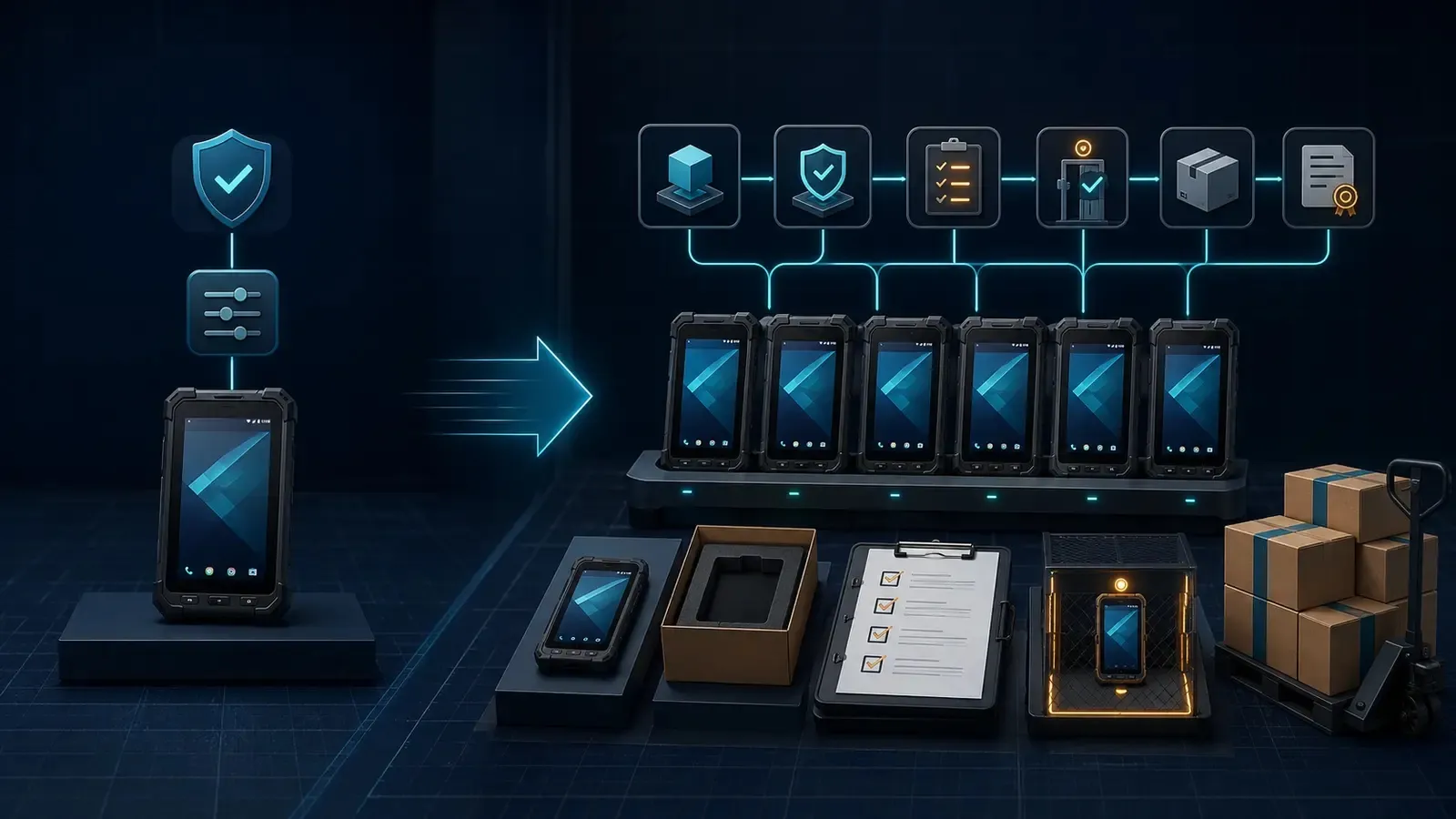
Seeing a device appear in an MDM console is an important milestone. It shows that enrollment worked and that the management platform can communicate with the device. It does not, by itself, prove that the required app launches correctly, permissions survive the intended setup path, kiosk behavior recovers after reboot, the regional SKU is suitable, or the production batch will match the approved sample. The most useful way to frame the difference: MDM readiness describes management capability; rollout readiness describes a validated deployment state. In this guide, MDM-ready is used as a practical compatibility term, not a universal Google certification — and rollout-ready is Vantora’s project-delivery term for a version-specific, evidence-backed state, not an official Android certification either.
Why the Difference Matters Before You Buy
An MDM can be performing exactly as designed while the device project is still not ready for a batch. A successful enrollment normally proves that the device can enter the intended management mode, that the selected MDM or EMM can apply a supported policy, and that the administrator can see the device and issue supported commands. A production approval must answer a wider set of questions — and a device can therefore be MDM-ready and still fail rollout approval, because the gap sits outside the MDM layer or because a supported MDM function behaves differently on the exact device, Android build, ownership mode or application.
- Is this the exact regional SKU and firmware build that was approved?
- Does enrollment repeat from a clean, factory-reset state?
- Does the required app install, authenticate and operate with the intended permissions?
- Does the device return to the correct state after reboot, reset or an interrupted setup?
- Do kiosk, launcher, allowlist and escape-path behaviors match the use case?
- Do Wi-Fi, cellular, APN, VPN, certificates and offline behavior work in the target environment?
- Do scanners, RFID readers, printers, docks or other peripherals work with the production configuration?
- Can the approved state be reproduced, recorded and checked across the batch?
What Does “MDM-Ready” Actually Mean?
The phrase is often used loosely. It may mean that an MDM agent can be installed, that the model appears on a vendor support list, that the device supports an Android Enterprise enrollment mode, or simply that one test unit entered a console. For a project decision, the definition should be more specific: an Android device is MDM-ready for a project when the exact model and build can enter the selected ownership and management mode, enroll through the intended method, connect to the target tenant and receive the required supported policies from the selected MDM or EMM. Google’s Android Management API documentation illustrates why the wording must be precise: provisioning installs Android Device Policy, binds the device to an enterprise and applies policy, and the enrollment token and method help determine ownership and management mode. A personally owned work profile, a company-owned work profile, a fully managed device and a dedicated device expose materially different management scopes. Other EMM architectures may use different components, so the selected platform must be verified on its own terms.
Evidence of MDM Readiness
Useful evidence is stronger than saying the hardware is “compatible with MDM” — but it still describes only the management layer.
- The exact device model, regional SKU, Android version and firmware build are recorded.
- Enrollment works from the intended clean-state condition.
- The device reaches the correct enterprise, tenant, userless or user-bound state and policy group.
- The required ownership mode — work profile, company-owned work profile, fully managed or dedicated — is confirmed.
- The required baseline policies, application assignments and supported commands reach the device.
- The console reports the expected device identity and compliance state.
What MDM Readiness Does Not Prove
Zero-touch enrollment is a good example of the gap. Google states that eligible devices must be purchased through an authorized zero-touch reseller and assigned a configuration; at first boot, the device checks for that assignment and then performs provisioning. Zero-touch eligibility is therefore a supply-chain and account-assignment condition — not merely a line in a hardware specification, and not proof that the full application workflow has already passed. MDM readiness does not automatically prove:
- that the production app completes first-run setup, authentication and background tasks;
- that every requested permission can be silently granted in the selected ownership mode;
- that a third-party app exposes the managed-configuration fields the project needs;
- that the tested app version and update behavior will remain stable;
- that kiosk or dedicated-device behavior prevents every unacceptable escape path;
- that an OTA update, reboot or reset preserves the accepted state;
- that the exact regional SKU has the right bands, certifications, carrier fit and accessories;
- that zero-touch enrollment has been correctly assigned through the supply chain;
- that a production batch matches the approved sample;
- that support, replacement, warranty and revalidation responsibilities are defined.
What Makes an Android Device Rollout-Ready?
A rollout-ready device is not a different product grade. It is an exact project baseline that has passed an agreed scope of validation and can be reproduced with evidence. The baseline should describe what was actually accepted — not what a catalog, policy menu or sales presentation suggests may be possible. At minimum it should identify:
- device model and regional SKU;
- Android version, firmware build and security patch level;
- app package, version, signature or distribution source;
- MDM or EMM, policy version, DPC or agent and ownership mode;
- provisioning method and clean-state assumptions;
- launcher, kiosk, allowlist and user-interaction rules;
- connectivity, SIM/APN, VPN, certificates and offline requirements;
- peripherals, accessories and packaging configuration;
- target countries and certification, carrier or importer assumptions;
- support, update, warranty and replacement rules.
Evidence That the Baseline Is Repeatable
Rollout readiness also requires evidence that the approved state can become a controlled batch. Typical artifacts include:
- a version-controlled reference sample;
- a device build specification;
- an acceptance matrix with pass, fail and conditional results;
- a known-limitations and dependency log;
- serial, IMEI, asset-tag and site-group records;
- a batch-staging and QA record tied to the approved baseline;
- activation, handoff, support and warranty instructions;
- revalidation triggers for app, policy, firmware, model, region or peripheral changes.
MDM-Ready vs Rollout-Ready: Capability and Evidence Matrix
The two states are not competitors — MDM readiness is commonly one necessary input to rollout readiness. The problem begins when a management capability claim is treated as proof that the entire deployment is ready. For a deeper map of which controls belong to Android Enterprise, the EMM, the OEM, a launcher or firmware, use Vantora’s OEM/MDM Dependency Matrix.
| Decision layer | What MDM-ready can prove | What rollout-ready requires | Acceptance evidence |
|---|---|---|---|
| Device identity | The tested device can communicate with the selected management platform | The exact model, regional SKU, memory variant, Android version and firmware build are controlled | Model/SKU record, build fingerprint, firmware and patch record |
| Enrollment and ownership | The device can enter a supported work profile, fully managed or dedicated path | The intended clean-state enrollment route repeats under the project’s network, account and reseller conditions | Enrollment record on representative clean devices |
| Policy and commands | Supported policies and commands can reach the test device | Required controls behave correctly on the exact build and mode, including after reboot and the agreed reset scenario | Policy version, command test and exception log |
| App installation | The platform can assign, make available or force-install an app | The approved app version installs, launches, authenticates, updates and recovers as required | Package/version/signature record and scenario results |
| Permissions and configuration | The platform exposes supported permission and managed-configuration controls | Actual permission state and application configuration support the production workflow | Permission record, managed configuration and first-run test |
| Kiosk or restricted use | The platform supports dedicated-device, lock-task, launcher or allowlist controls | The approved user journey, escape paths, reboot recovery, notifications and system UI behavior pass | Kiosk scenario and recovery test |
| Network and peripherals | The platform may distribute supported Wi-Fi, VPN, certificate or connectivity settings | Cellular, APN, Wi-Fi, offline, scanner, RFID, printer, dock and accessory paths work in context | Network/peripheral scenario results |
| Regional fit | The device can still be managed when used in a region | The exact SKU, bands, certifications, carrier, importer and accessories fit the target market | Market-fit note and unresolved-approval owners |
| Sample and version control | One enrolled device is visible in the console | The accepted device, app, policy and firmware versions are tied to a reference baseline | Approved sample, build spec and acceptance matrix |
| Batch staging | A device can be enrolled individually | The approved state can be reproduced, checked and traced across production units | Batch QA, serial/IMEI map, labels and stop rule |
| Handoff and lifecycle | The platform can continue managing supported functions | Activation, support, warranty, replacement, updates and revalidation ownership are documented | Handoff pack, escalation path and change triggers |
What Rollout Readiness Depends On
There is no useful “rollout-ready” label without a defined configuration. The acceptance question is not “Does this phone support MDM?” — it is “Can this exact model, build, app and management path reproduce the accepted behavior under the target rollout conditions?” The result depends on the interaction among:
- Exact OEM model and regional SKU — similar model names can hide different radios, memory, firmware or market approvals.
- Android and firmware version — policy availability and behavior change across releases and OEM implementations.
- GMS or AOSP route — managed Google Play, Google services and enrollment assumptions must match the platform design.
- Android Enterprise ownership mode — a work profile and a fully managed or dedicated device do not expose the same scope of control.
- Selected MDM or EMM — feature support, licensing, agent or DPC architecture, OEM integrations and reporting differ.
- Application behavior — installability does not prove login, permissions, offline operation, background work, updates or recovery.
- OEM, launcher or firmware support — some scanner, button, network, system UI or privileged controls sit outside generic MDM policy.
- Provisioning route — QR, zero-touch, DPC identifier, NFC and other paths have different prerequisites and clean-state behavior; see Android device provisioning methods.
- Region and connectivity — bands, certifications, carriers, SIM/APN, Wi-Fi, VPN and importer responsibilities must be explicit.
- Lifecycle and change policy — app releases, OTA updates, replacement SKUs, backend changes and accessories can invalidate an accepted state.
Acceptance View: Is the Device Ready for a Batch?
Use the following checklist before converting an enrolled pilot into a production order. An enrolled device may pass the first four questions — a rollout-ready device needs an agreed answer to the entire applicable set.
- Is the exact model, regional SKU, Android version, firmware and security patch level recorded?
- Can the intended enrollment path be repeated from a factory-reset or otherwise agreed clean state?
- Has enrollment been tested on more than one representative device?
- Are the target enterprise, tenant, ownership mode, policy group and device identity correct?
- Are the approved app package, version, signature source, permissions and managed configuration recorded?
- Have first run, login, offline operation, background behavior, update and recovery been tested?
- Have kiosk, launcher, allowlist, reboot, reset and unacceptable escape paths been tested where applicable?
- Have cellular, APN, Wi-Fi, VPN, certificates and required peripherals been validated?
- Are target-market bands, certifications, carrier and importer assumptions documented?
- Is the approved sample tied to the build spec, policy version, app version and acceptance matrix?
- Can serials, IMEIs, asset tags, site groups, labels, accessories and packaging be traced during staging?
- Does production QA compare the batch against the reference sample and include a stop rule?
- Are known limitations, conditional items and external owners visible to the approver?
- Is there a revalidation rule for changes to the app, policy, EMM, firmware, model, region or critical peripheral?
Known Limitations
Clear limitations do not weaken a rollout — they identify what must be owned, monitored or tested again.
- Rollout-ready is scope-specific. It applies to the recorded project, versions, conditions and acceptance date — not a permanent certification for a model family.
- MDM compatibility is also configuration-specific. A support-list entry or successful console connection does not prove every policy in every ownership mode.
- Google documentation does not describe every EMM implementation. Android Management API examples illustrate Android Enterprise behavior; the chosen platform’s current documentation and licensing must also be checked.
- Managed configuration depends on the app. An EMM cannot invent configuration fields that the application developer has not exposed.
- Updates can change the baseline. App, firmware, backend, policy or OEM changes may require partial or full revalidation; a managed update setting does not determine when an OEM releases firmware.
- Remote actions have operating conditions. A device must be able to receive and execute the relevant command; offline or damaged devices can require another recovery path.
- A sample proves only the agreed scenarios — not every country, carrier, network, user action or future release.
- Rollout validation does not replace legal or market approval. Certification, carrier, importer, privacy and sector-specific obligations remain with the assigned parties.
Recommended Path from MDM Compatibility to Rollout Readiness
The management path is confirmed early; rollout approval comes only after the complete baseline is validated and made repeatable. See How a Validated Android Device Rollout Works for Vantora’s rollout checkpoints, and What Is an Android Device Rollout Integrator? for who coordinates the layers.
- Start with a redacted project brief — define the users, app, markets, environment, peripherals, restrictions, quantity range and acceptance priorities.
- Map the control dependencies — separate what belongs to Android Enterprise, the MDM, the app, the OEM, the launcher, firmware and customer systems.
- Select the exact device and regional SKU — record the Android and firmware baseline before relying on a policy design.
- Build a clean-state reference sample — use the intended enrollment method, tenant, policy, app and connectivity path.
- Validate the real workflow — test first run, permissions, offline behavior, kiosk restrictions, reboot, reset, peripherals and updates where applicable.
- Record acceptance and limitations — tie pass, fail and conditional results to the exact sample and version set.
- Stage and check the batch — reproduce the accepted state, record identifiers and stop production when units deviate from the baseline.
- Hand over ownership and revalidation rules — document activation, support, warranty, replacement, updates and change triggers.
Validate the Whole Rollout, Not Only MDM Enrollment
If your organization already has an MDM, Vantora does not need to replace it. The job is to map the selected device, application, management platform and rollout requirements into a configuration that can be tested, accepted and reproduced — Vantora’s App, MDM and Kiosk Integration capability covers how the layers are mapped and sample-tested together. Share the target model or form factor, app, MDM or EMM, required controls, target countries, quantity range and acceptance priorities, and Vantora will identify what can be managed, what depends on the OEM or application, and what must be proven on the sample before batch approval.
FAQ
Is MDM-ready the same as Android Enterprise compatible?
Not necessarily. Android Enterprise compatibility describes support for particular enterprise management capabilities. MDM-ready should still be tied to the selected platform, ownership mode, exact Android build and enrollment route. A generic compatibility statement is not a project acceptance result.
Can an MDM make any Android device rollout-ready?
No. An MDM can provide supported enrollment, policy, application and remote-management functions. It cannot by itself prove hardware fit, application behavior, regional suitability, peripheral workflows, batch consistency or operational handoff.
Does rollout-ready require a custom ROM?
No. A mainstream or off-the-shelf Android device can be rollout-ready when the required state is achievable, tested and repeatable. The preferred path is normally the lightest reliable mechanism — standard Android Enterprise and EMM policy first, with OEM, launcher or firmware work only where the requirement genuinely needs it.
Is zero-touch enrollment enough to make a device rollout-ready?
No. Zero-touch can automate the start of provisioning for eligible, correctly assigned devices. The app, policy, permissions, network, kiosk behavior, sample acceptance, batch traceability and handoff still need to be validated for the project.
When should a rollout-ready device be revalidated?
Revalidation should be triggered when a change could affect accepted behavior. Common triggers include a new model or regional SKU, firmware or Android update, app release, policy change, EMM change, provisioning change, backend change, target region or critical peripheral.
Tell us your workflow and rules.
We turn requirements into deployment-ready devices.