Manufacturing Mobile Devices for Shop-Floor Android Rollouts
Rugged Android handhelds, tablets and RFID readers configured for traceability, material movement, inspection and shop-floor execution, then validated before production batch staging.
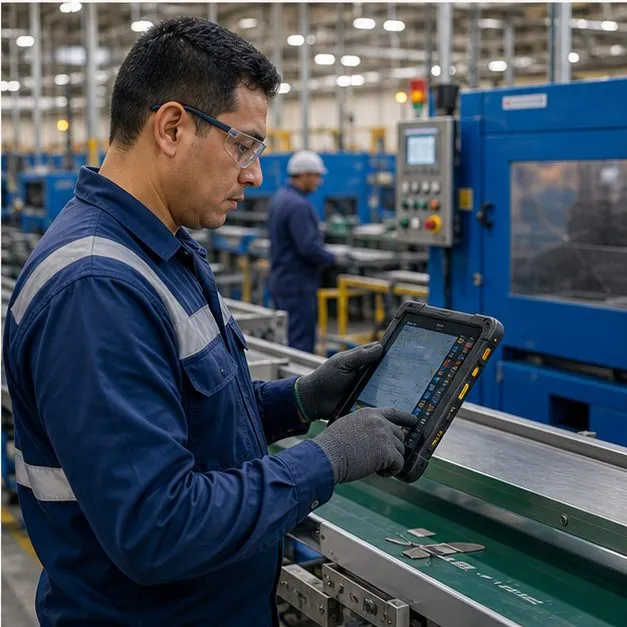
Manufacturing rollouts start with the shop-floor workflow
Production lines, warehouses and quality stations rarely need the same Android build. Vantora scopes each manufacturing rollout around the MES/WMS/ERP app, capture method, accessory kit, policy controls and acceptance checks needed for the plant environment. Where tags replace line-of-sight scanning, the reader side is covered in handheld RFID readers, and stock accuracy work is scoped in inventory counting devices.
Manufacturing workflow matrix
Use the manufacturing page when the industry context matters more than a single device category. Each workflow can map to a different device family and validation record.
| Workflow | Typical device path | Validation focus |
|---|---|---|
| Production traceability | Handheld mobile computer or fixed station tablet | Barcode/RFID capture, serial or batch logic, MES app input and station label state. |
| Material and WIP movement | Handheld scanner or UHF RFID reader | WMS/MES handoff, Wi-Fi roaming, offline queue, trigger behavior and shift runtime. |
| Quality inspection | Rugged tablet with camera, form app and accessory kit | Checklist, photo evidence, nonconformance workflow, app version and reviewer handoff. |
| Maintenance and work orders | Rugged phone or tablet for technicians | Work-order app, asset lookup, offline capture, charging plan and support route. |
| Shop-floor instruction terminal | Dedicated tablet or kiosk device | Launcher, mount, power, reset path, app update method and line assignment. |
Recommended device platforms
Available configurations can include rugged housings, glove-friendly operation, mounts, charging docks and policy-controlled app states, subject to selected model validation.
- Handheld mobile computers and RFID readers for traceability and material movement
- Rugged tablets for quality inspection, work orders and field maintenance
- Dedicated tablets or kiosk devices for fixed shop-floor instructions
Integration with MES, WMS and ERP
Vantora can preload the required app, configure scanner input mode and stage devices by line, site or role. Offline-first operation is scoped against the customer app and backend sync behavior.
Device control and management
Devices can be configured for MDM/EMM enrollment, app allowlists and kiosk or dedicated-device modes when supported by the model and management path. Each policy group should be recorded with the accepted sample.
Acceptance evidence for manufacturing batches
Manufacturing teams need to know what was accepted, what was staged and what remains model- or environment-dependent.
Workflow, app input, capture method, accessory kit, policy group, offline behavior and line assignment.
Device identifiers, app version, firmware or OS note, line/site group, label state, charger and spare allocation.
Deployment and lifecycle
The rollout should define staging groups, spare devices, version notes and replacement expectations. Long-running manufacturing programs should review BOM and firmware availability before committing to repeat batches.
FAQ
Can devices integrate with our MES?
Yes — we preload your MES/WMS client and expose the scanner via SDK / keyboard wedge, with offline capture for network gaps.
Are the devices suitable for a dusty, wet plant?
Yes — available with IP-rated rugged housings, glove touch and vibration resistance for industrial environments.
Can shop-floor tablets be locked to one app?
Yes — kiosk / dedicated-device mode locks a fixed tablet to a single instruction or inspection app.
What is the typical MOQ for shop-floor devices?
MOQ is confirmed per model in the feasibility response. A typical manufacturing program mixes device families — handhelds, tablets, kiosk terminals — each validated as its own sample, with pilot and production quantities set per line or site rather than one plant-wide number.
Who owns support when a device fails on the line?
The responsibility matrix agreed before staging names the owner per layer: Vantora for the accepted device build, warranty path and batch records, the MES/WMS owner for app behavior, and IT for the management stack. Spare units in the staging plan keep the line running while a failed device is swapped.
Tell us your workflow and rules.
We turn requirements into deployment-ready devices.